Beyond These Stars · Pollution and access
The ground is toxic and nearby workplaces have stopped
On this page
Reduce the pollution being added, then clear the toxic area with the appropriate cleanup task. Peeps normally refuse to cross toxic tiles or work in buildings on them. For prevention, compare Pollution Existing with Pollution Rate: one shows what has accumulated, the other whether your current layout can keep it under control.
Published October 20, 2026 · Windows PC · 1.0 release mechanics
Look at the same district in both overlays
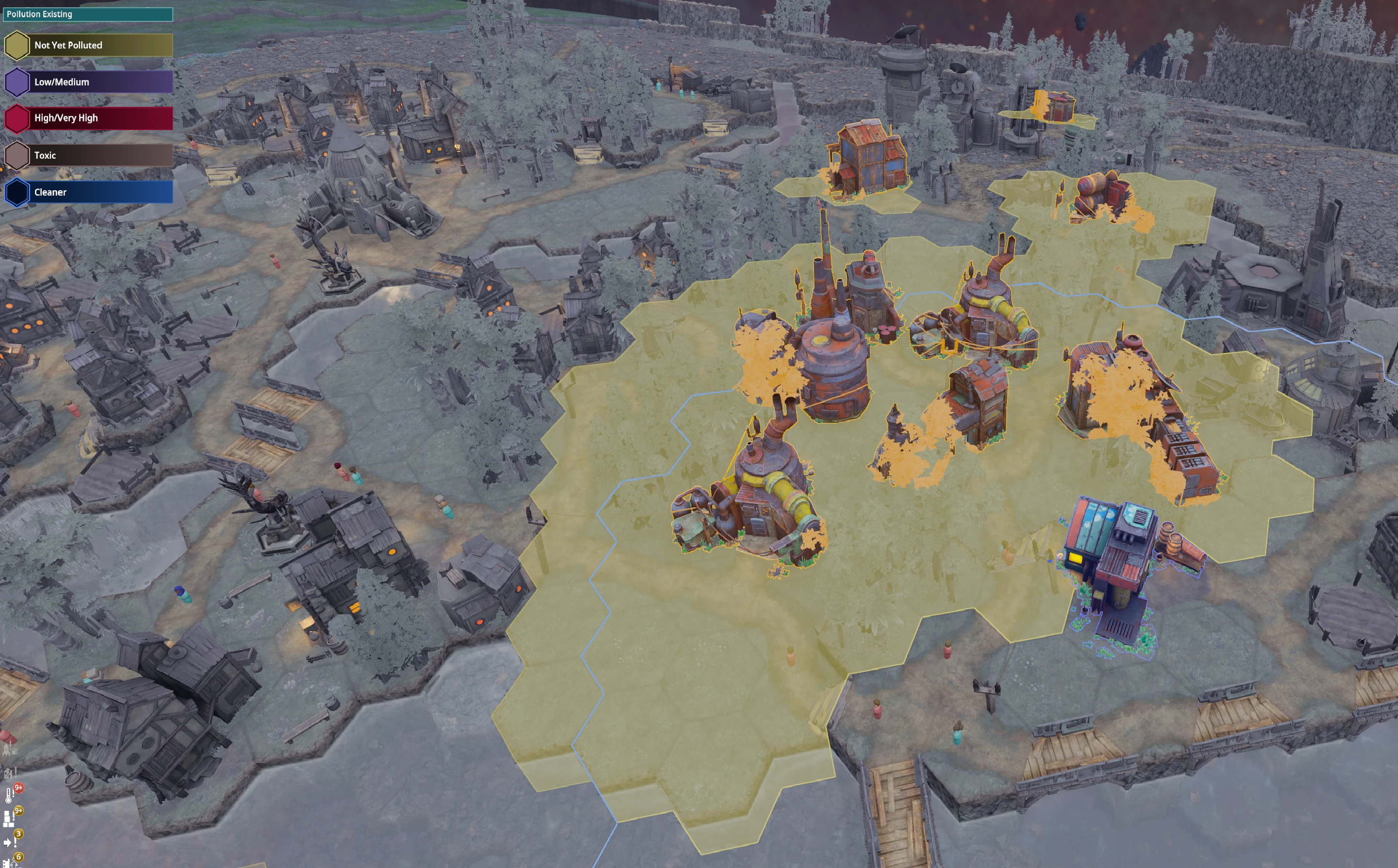
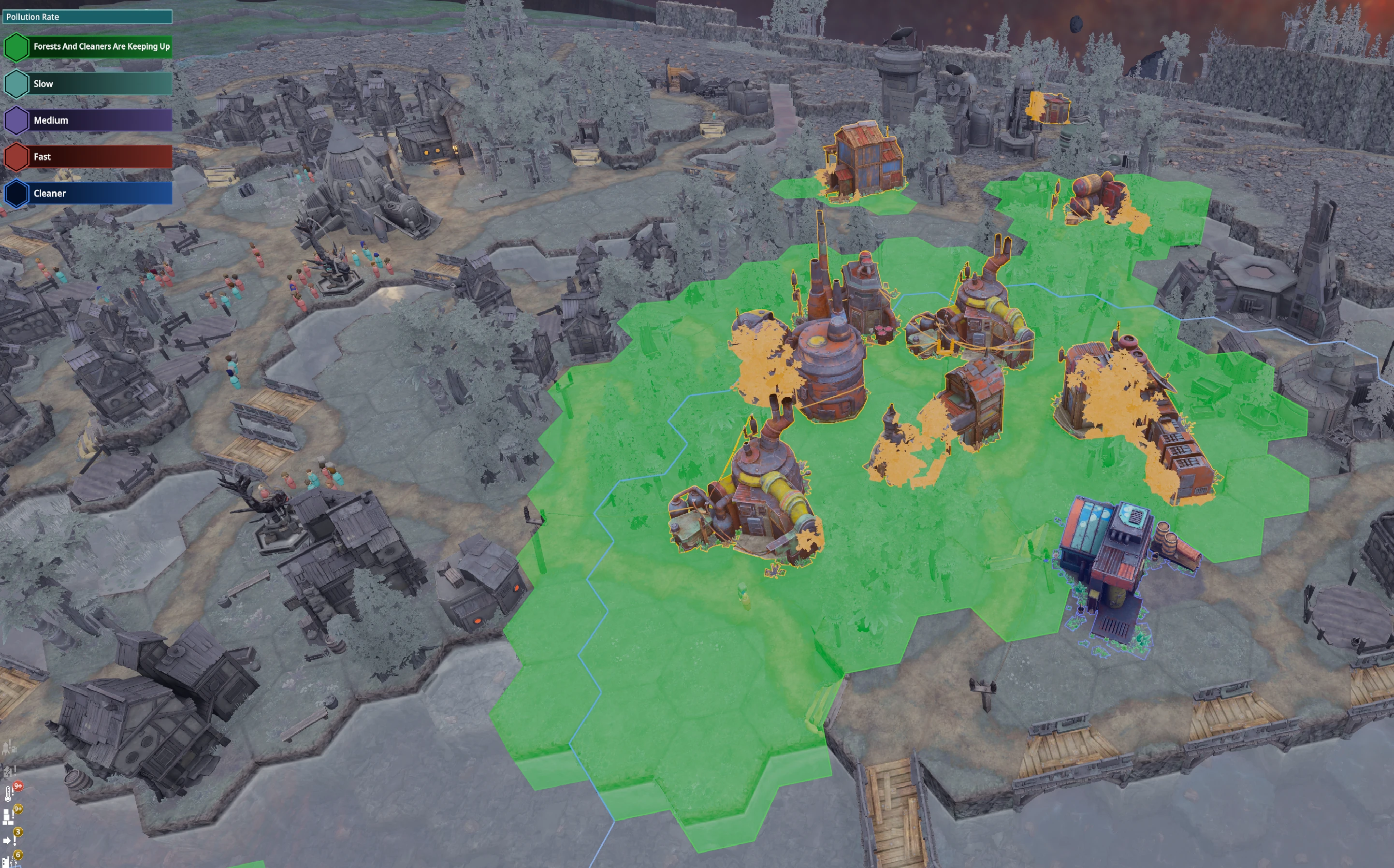
Run the comparison while the relevant industry is working. If you inspect only when factories are stopped, you have not checked the layout under its normal workload. Keep the district small enough that you can identify which addition changed its pollution balance.
Stabilise the source before the next expansion
- Identify the working polluters around the affected tiles.
- Pause a nonessential production task if accumulation is getting ahead of cleanup.
- Keep existing Forests and leave room to plant more around the district.
- Check that the Cleaner has workers and the input its selected cleaning task requires.
- Recheck both overlays after work resumes.
Early cleaning uses Soot, so a cleanup shortage can be connected to a burner or smelter that is not producing enough. Later chemical-based cleaning offers another option. Read the selected recipe before shipping resources to the wrong task.
Conversely, full Soot output can stop power generation. Inspect the actual shortage or overflow instead of assuming every pollution problem needs continuous burners. See the by-product storage checks if industry and cleanup stop together.
Once the area becomes toxic
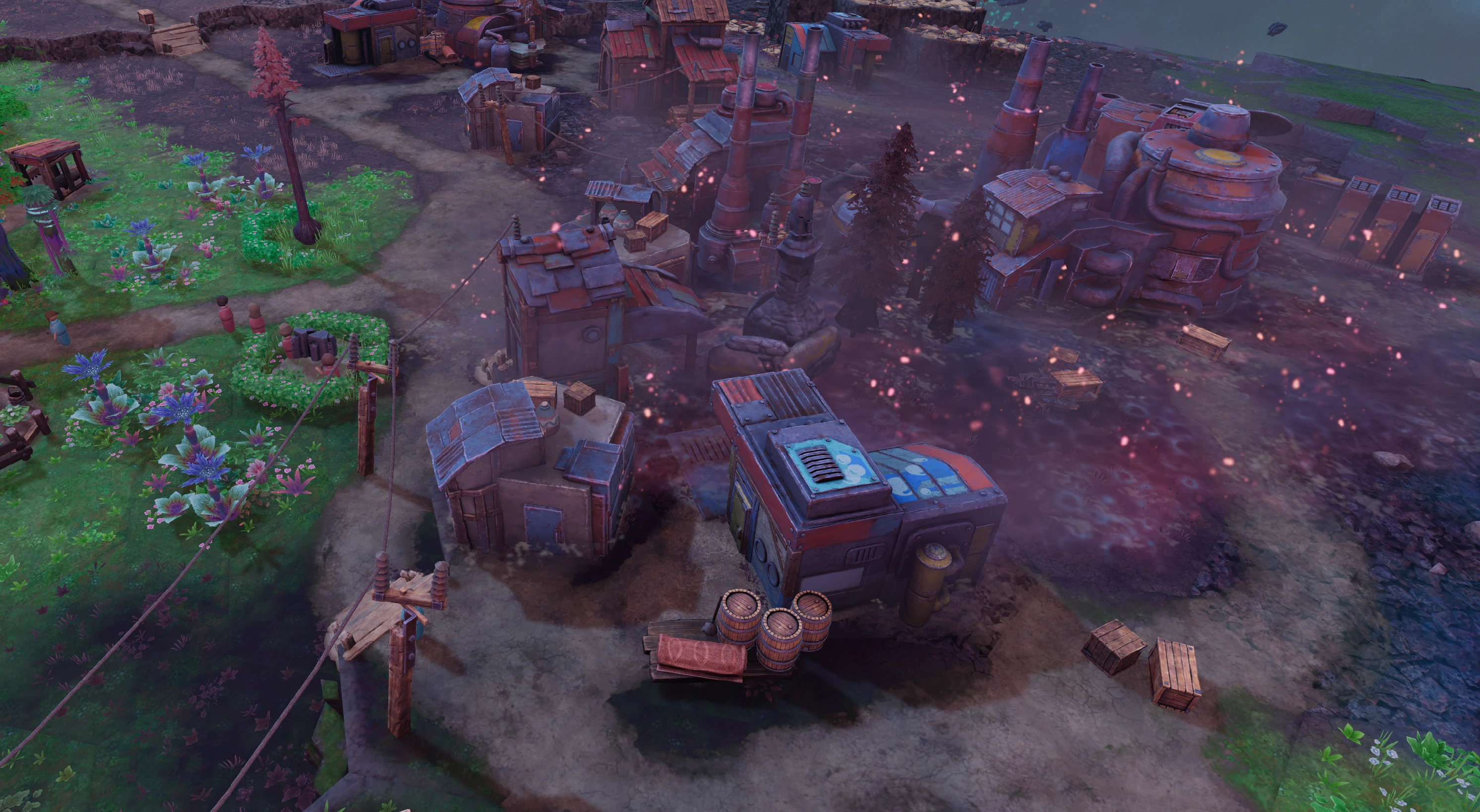
The official guide says tiles held at High or Very High pollution for fifteen minutes can become Toxic Areas. Use that as a reason to intervene early, rather than waiting for an exact countdown to rescue the district.
Use Toxic Tile Scrapers, or a Cleaner with the later appropriate cleaning resources, for toxic cleanup. The wiki notes that Peeps assigned to scraping will enter toxic ground but risk unhappiness and sickness. Check the workforce afterwards instead of assuming the end of the cleanup task restores everyone immediately.
When the area is cleared, resume one paused producer and inspect the rate again. If pollution starts building immediately, the operating layout still needs more mitigation or a smaller workload. Clearing the tile once has removed the current obstruction; it has not changed the factory’s ongoing emissions.
Sources
Official beginner guide: Pollution and Gameplay Tips; Official Community Wiki: Pollution; Biome. Overlay and toxic-area screenshots by Aeredor are attributed at each image under the file pages’ CC BY-SA 4.0 terms. Official instructions and original player reports checked October 20, 2026. Screenshots identify the relevant controls and states; the troubleshooting sequences are independently written, not a report of a personal game test.