Planet Zoo 2 · Paths
How to reshape a path you have already built
On this page
Open Paths, choose the appropriate path type and select Edit Widgets to adjust an existing border. Line Builder and Stamp Builder place new path; they are not the same operation as editing the edge of an existing plaza.
Published October 20, 2026 · English PC interface · Official instructions checked October 20
Start at the edge you want to change
If a plaza is almost right, work on one corner first. Save before changing a busy entrance, then open Paths and use the Guest Path category for ordinary visitor paving. A Staff Path or ride queue serves a different purpose, even when its surface looks similar.
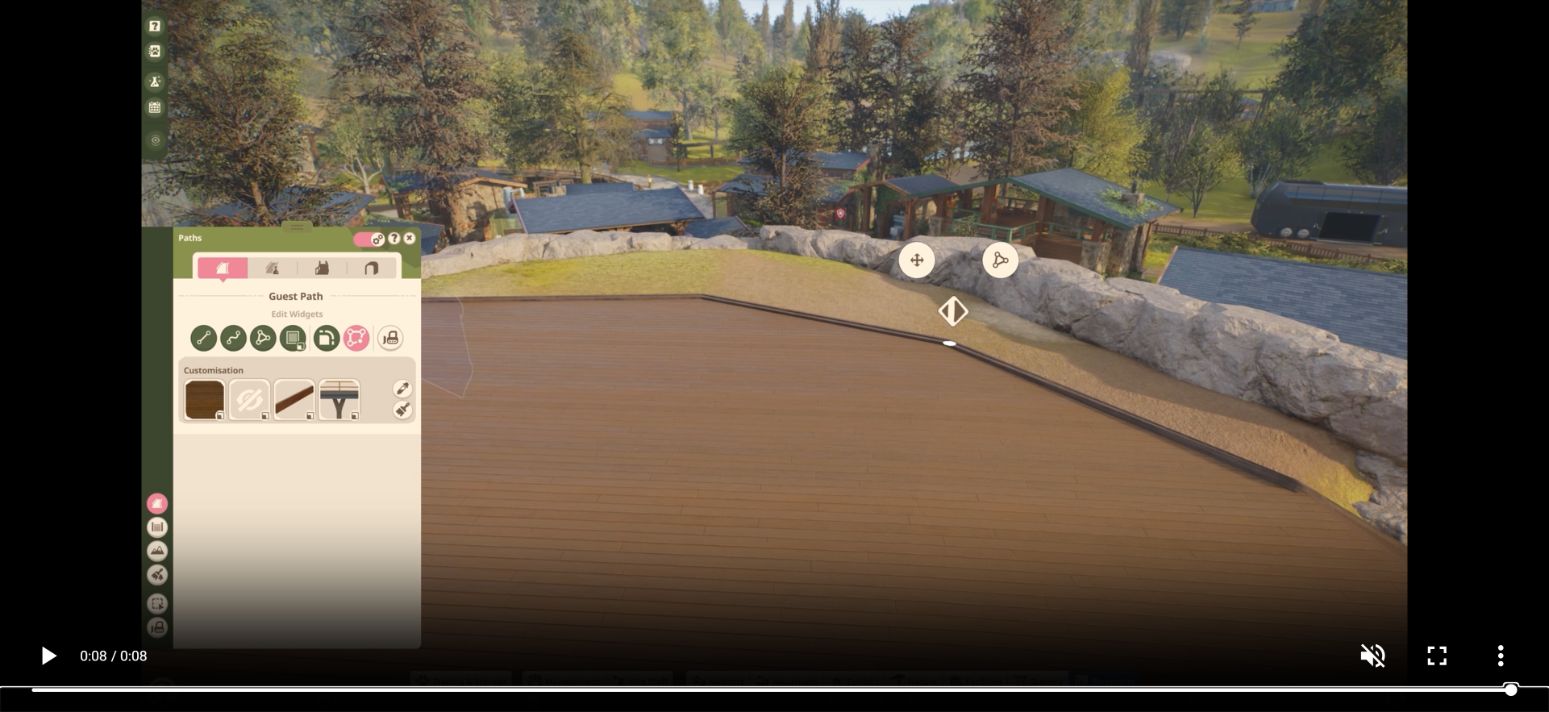
- Choose Edit Widgets in the path tools.
- Select the existing border near the corner you want to alter.
- Use the displayed widgets to adjust that border’s height or corner radius, as appropriate to the change.
- Inspect the join with the neighbouring path before continuing along the next edge.
Keep the camera close enough to see which border is selected. If your change affects the wrong edge, undo it before adding more paving. Rebuilding the entire plaza makes it harder to tell which connection caused the original problem.
Choose a construction tool when you need more ground
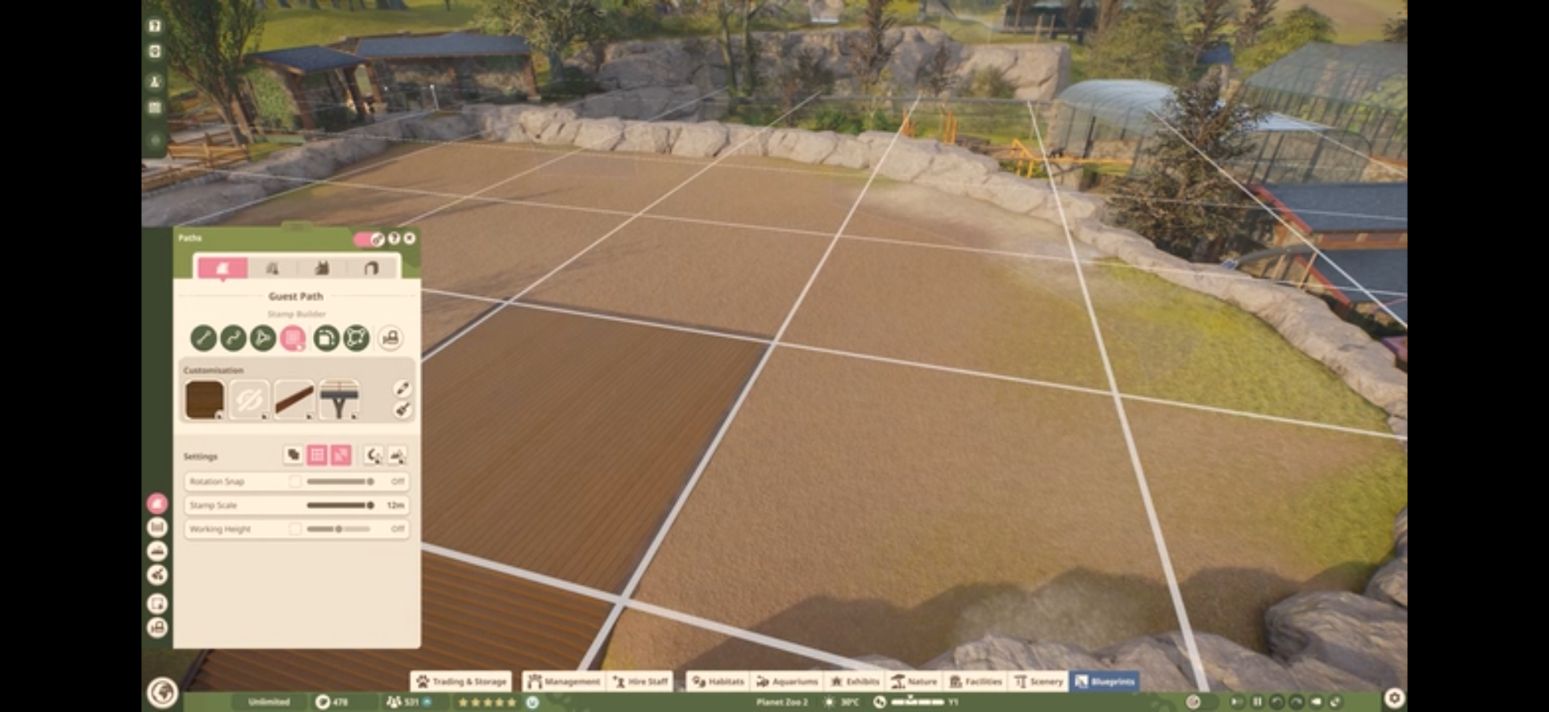
Use Line Builder for a straight run with a chosen width and length, Curve Builder for a bend, or Draw Tool for a custom area. Close a drawn area by returning to its starting point. Stamp Builder places geometric shapes and is useful when the missing section is a regular patch rather than an edge adjustment.
If the result still looks wrong
Separate shape from access. A neat-looking surface does not establish that a guest route, staff entrance or ride queue is correctly connected. Test the actual journey you need after editing: entrance to viewing area for guests, or staff route to the relevant gate.
A launch-week player asked both how to edit paths and how to stop habitat barriers changing nearby paving. The documented Edit Widgets tool answers the first question. It does not establish a switch that disables all barrier-related adjustment, so do not keep hunting for a setting promised by an unrelated path tutorial.
This guide uses PC tool names. It does not supply an unverified PS5 button sequence or claim to fix the separate walkthrough-exhibit Null Path restriction.
Sources and version
Written for Planet Zoo 2, with the English PC interface and Frontier’s live player guides checked October 20, 2026. Frontier: path tools. Player question: editing existing paths and nearby barriers. Game images are limited publisher instructional excerpts, credited at each image; they show the controls, rather than a personal gameplay test.