Craft & Quest / Tiny Glade / Doors
How to make doors in Tiny Glade
Use the window tool and place an unlocked window at the bottom of a building wall, close to the ground. In our Tiny Glade Demo test, this created a small door in the wall. You do not need a separate door button for the method we tested.
Checked October 16, 2026. These screenshots and steps document the free demo, not a hands-on test of the current full game. Some styles and tools are locked in this demo.
Make a ground-level door
- Place a small rectangular house using an available building shape. Leave a clear view of the wall where you want the door.
- Select the window tool from the bottom toolbar. In our test it had a window-grid icon.
- Choose a window style without a DEMO padlock. We used the narrow rectangular style at the left of the available choices.
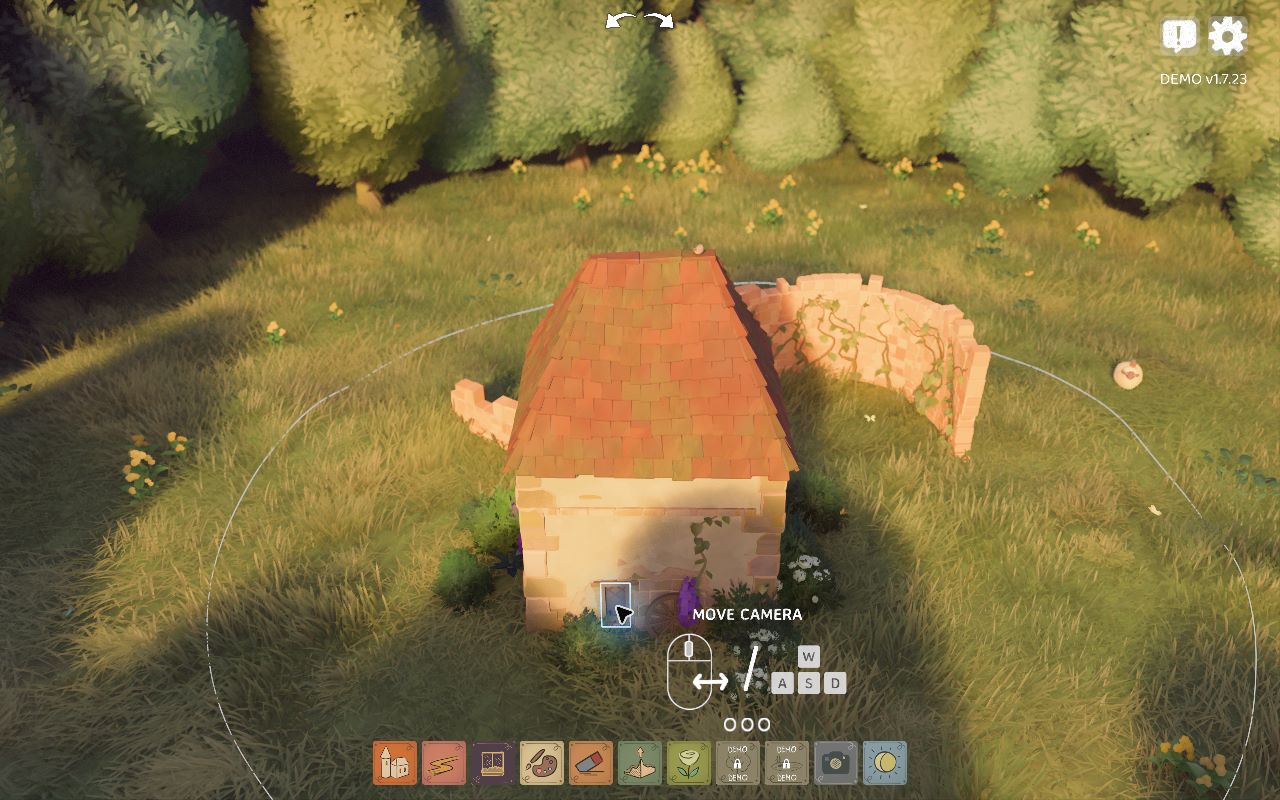
- Position it at the bottom of the house wall, close to where the wall meets the ground, and place it. Our result was a small wooden door.
- Check the wall after switching away from the window tool. Confirm that the door remains, rather than judging only the placement preview.
What we observed in this build
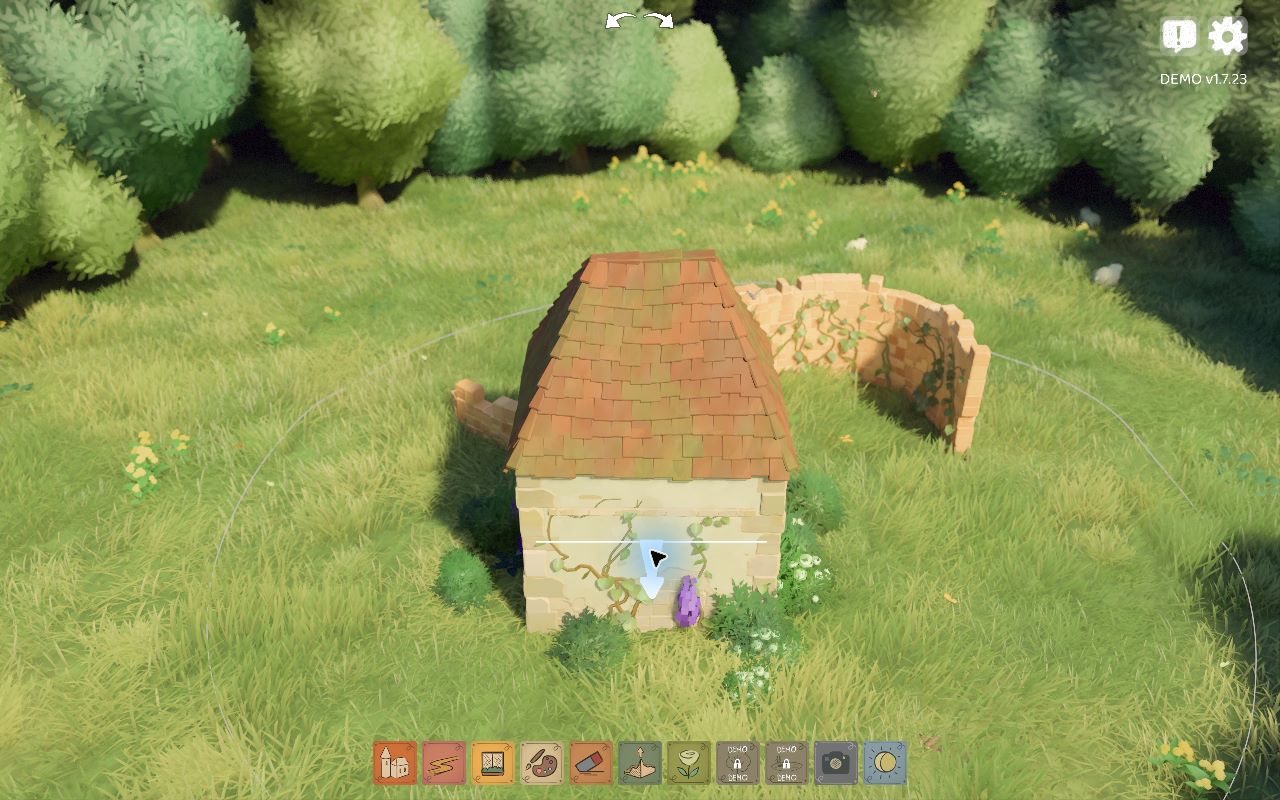
We started the free demo from Steam and checked its version label before building. The scene initially contained a curved ruined wall. We added a separate small house in front of that ruin, so the instructions here concern the house wall, not a hole in the existing freestanding wall.
Opening the window tool revealed several choices. Some carried DEMO padlocks. We selected the unlocked narrow rectangular style on the left instead of treating the locked styles as usable. Placing that choice low on the house wall produced the small door shown in the second capture.
The placement location is the important part of this particular test. We aimed near the ground at the foot of the wall, rather than near the roof. We then switched tools and could still see the door. That gave us a visible result to document, rather than relying only on a floating preview.
Our screenshots were taken at different moments in the demo's changing light. The first image shows the blank wall; the second shows the small door at its base. Differences in lighting are not a different building material or an extra step needed to make the door.
We also attempted a path-based method, but did not obtain a result clear enough to publish as a successful test. We have therefore left path drawing out of the instructions. This does not establish that the method is broken; it only limits what this session verified.
Questions about this door method
Why is a window style locked?
Our demo displayed padlocks on some styles. Use an unlocked choice for this tested method. We have not verified every locked style in the full game.
Does this cover elevated doors or balconies?
No. Our test used a ground-level house wall. We have not verified an elevated doorway, balcony connection or upper-floor access in this session.
Does the demo prove how the newest version behaves?
No. Our installed demo identified itself as v1.7.23. For changes to the full game, consult the developer's official update notes. We will label a newer hands-on test separately.
Sources and corrections
Primary evidence: our local Windows gameplay and original screenshots, October 16, 2026. A player discussion asking how to add doors helped identify the question; its replies are not our test evidence. Official game and demo page.
For a correction, email contact@craftandquest.com with your version, selected tool and a screenshot.