We Were Here Tomorrow · Co-op puzzle · Spoilers
We Were Here Tomorrow PAT Lock: Symbols & Handle Settings
On this page
Press the four buttons matching the current monitor symbols. After the fourth press, read the three meters and set the left, middle and right handles to their printed numbers. A wrong set refreshes the symbols; read the monitors again before using the seven-variant table.
Start the lock and identify the two stations
The Particle Accelerator Lock divides the information between a monitor station and a 16-button station. One explorer sees four symbols and three handles; the other sees the symbol grid and three numbered meters. Start the lock by applying goop to its trigger, then keep that trigger supplied while the puzzle is active.
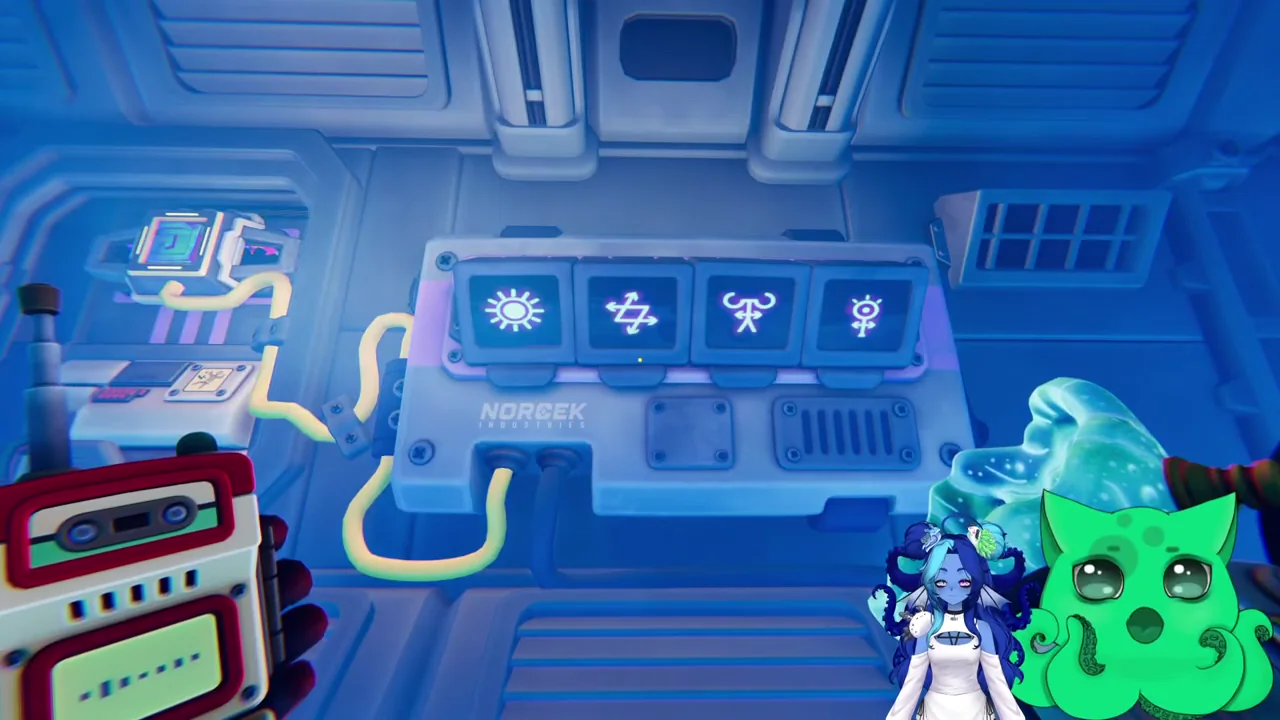
The lock uses seven preset variants. A failed four-symbol attempt changes the displayed variant, so begin every attempt by reading the current monitors. Keep the station names in your callouts: “monitor left,” “button grid,” and “handle one” are clearer than using the room colour or the direction your partner happens to face.
| Station | Visible information | Action |
|---|---|---|
| Four monitors | The required symbol set | Describe the shapes to the button player |
| 16-button grid | All selectable symbols | Press the four matching symbols |
| Three meters | The three target numbers | Read numbers to the handle player |
| Three handles | Five indicator positions per handle | Set the requested values left to right |
Agree that “left” always means left while facing your own station. Both panels use a left, middle and right correspondence. Establish this before moving any handle, then keep it for the rest of the room so a correct number is not applied to the wrong control.
Match four symbols using visible details
Describe one monitor at a time. Start with the outer shape, then add the centre mark and any arrows, dots or curled arms. The grid contains several similar sun-like and Z-like drawings. For a sun, mention whether the centre is filled or dotted; for a Z-like shape, mention its arrowheads. Give your partner those details before they press the matching button.
The button player should scan the whole grid before selecting a candidate. Read the details back: “large centre with short spokes” or “Z with arrowheads,” for example. Use row and column only to confirm the button on that player’s own grid. The monitor player cannot verify an unseen coordinate without the shape description.
- Read the first displayed symbol and identify its distinguishing marks.
- Have the button player repeat the candidate’s visible details.
- Confirm the match, then press that button.
- Continue until the four displayed symbols have been selected.
- Watch for the meters becoming active before changing to the handle stage.
The four symbols form a set: their button-press order does not determine the result. Read the monitors left to right to keep your place. The game accepts the matching four buttons in any order, so concentrate on selecting the correct drawings. The check happens after the fourth press. If the input fails, abandon the previous set and read the refreshed monitors.
Keep a four-item note for the current attempt. Cross off each confirmed selection so an interruption does not cause a repeated button or an omitted symbol. If one player loses track of the selections, pause the callouts and establish which buttons have already been entered before completing the set.
Read the meter’s number rather than its position
Once the symbols are accepted, inspect the three meters at the button station. Each pointer indicates a number between one and five, but the printed numbers are shuffled around the dial. Read the number actually beneath the pointer. Calling “the fourth position” is unreliable because the handle uses its own five-position scale.
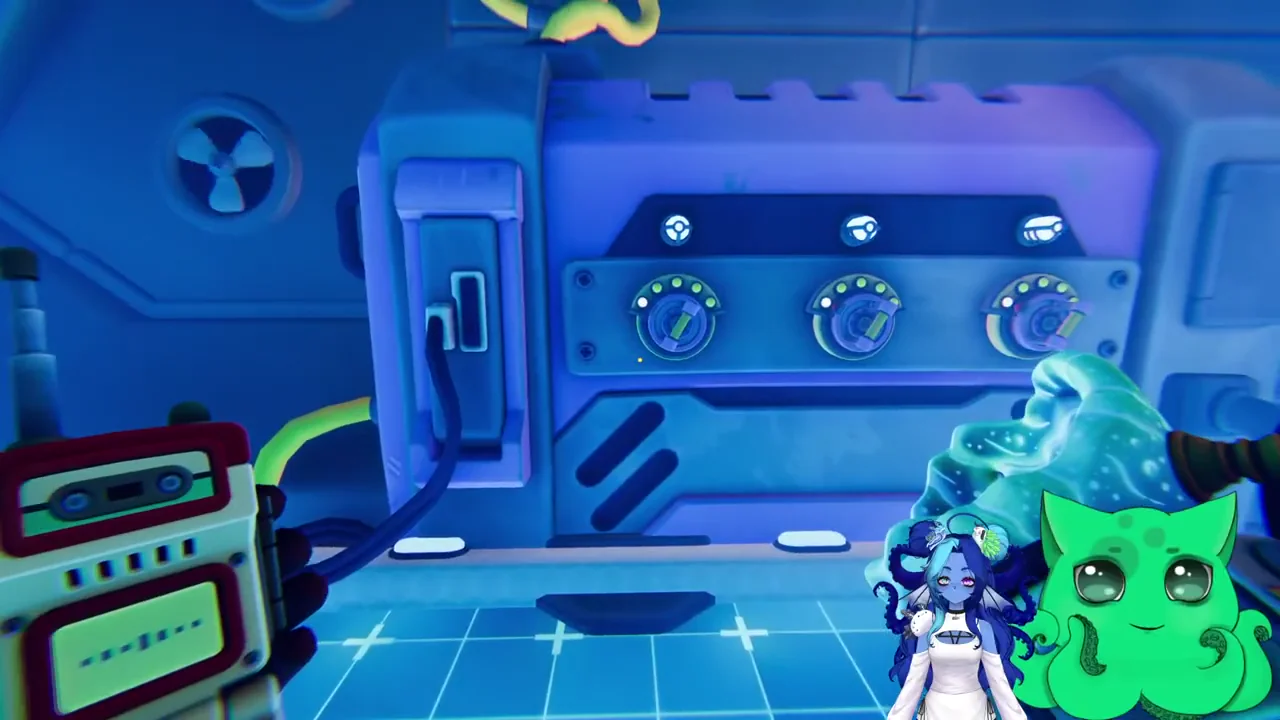
Send one complete call at a time: “left meter equals four,” followed by the partner’s “left handle set to four.” Continue with the middle and right meters. The first handle position is its leftmost indicator and the fifth is its rightmost. Inspect the resulting light rather than estimating the distance the lever moved.
| Meter readout | Matching control | Readback |
|---|---|---|
| Left meter’s printed number | Left handle | Handle name and final indicator position |
| Middle meter’s printed number | Middle handle | Middle value repeated after setting |
| Right meter’s printed number | Right handle | Right value repeated after setting |
Complete the three pairs before leaving the panel. A correct left handle and incorrect middle handle can look almost finished while still blocking progression. If the room remains inactive, re-read each meter with its handle in the same order instead of changing several controls at once.
The seven known symbol sets can also be used as a cross-check. Match all four drawings in the current set before using the row’s handle values; the visible meter numbers remain the direct confirmation on your current attempt.
| Four-symbol set, described by shape | Left | Middle | Right |
|---|---|---|---|
| Filled sun; zig-zag arrows; upward horns; circle on stem | 4 | 2 | 3 |
| Sun with centre dot; Z arrow; A with arrow; upward horns | 2 | 4 | 3 |
| Curled horns; nine circles; Z arrow; saw blade | 2 | 3 | 5 |
| Swirl; Z arrow; sun with centre dot; nine circles | 4 | 1 | 5 |
| Striped triangle; face on stem; dashed rings; A with arrow | 2 | 5 | 4 |
| Circle on stem; swirl; face on stem; curled horns | 4 | 2 | 3 |
| Circle on stem; filled sun; square of circles; face on stem | 5 | 2 | 5 |
If one drawing does not match the proposed row, return to the monitors and inspect that symbol’s distinguishing marks. Several rows share two symbols, and two rows even share the same handle values. Check the complete set before entering a number remembered from a previous attempt.
Recover from a reset without reusing the old set
A wrong symbol selection restarts the lock with a different variant. Clear the four-item note and read the new monitors. Any remembered handle values belong to the previous variant until the refreshed meters provide the current targets. This keeps a previous correct three-number answer from becoming the cause of another failed attempt.
If the lock switches off, inspect the goop trigger before diagnosing the symbol set. Keep goop on that trigger for the active lock. If the monitors show a different set, tell the button player before they finish entering the old symbols. Use a single speaker for each clue, then let the partner confirm before transmitting the next one.
For repeated errors, identify the failing stage. Symbols resetting means return to shape matching; active meters with no progression means inspect the numeric mapping. When two drawings look alike, read the centre mark and outer tips again. For a handle mismatch, repeat the printed meter number and the corresponding left, middle or right handle before moving it.
Finish the door sequence and continue into the P.A.T.
When the three handles match, the pressure plates become available. Move to the positions required by the exit and activate them together. Wait for the door and arrival sequence to complete before leaving the active controls. The This is fine achievement is associated with arrival at the Particle Accelerator Terminus.
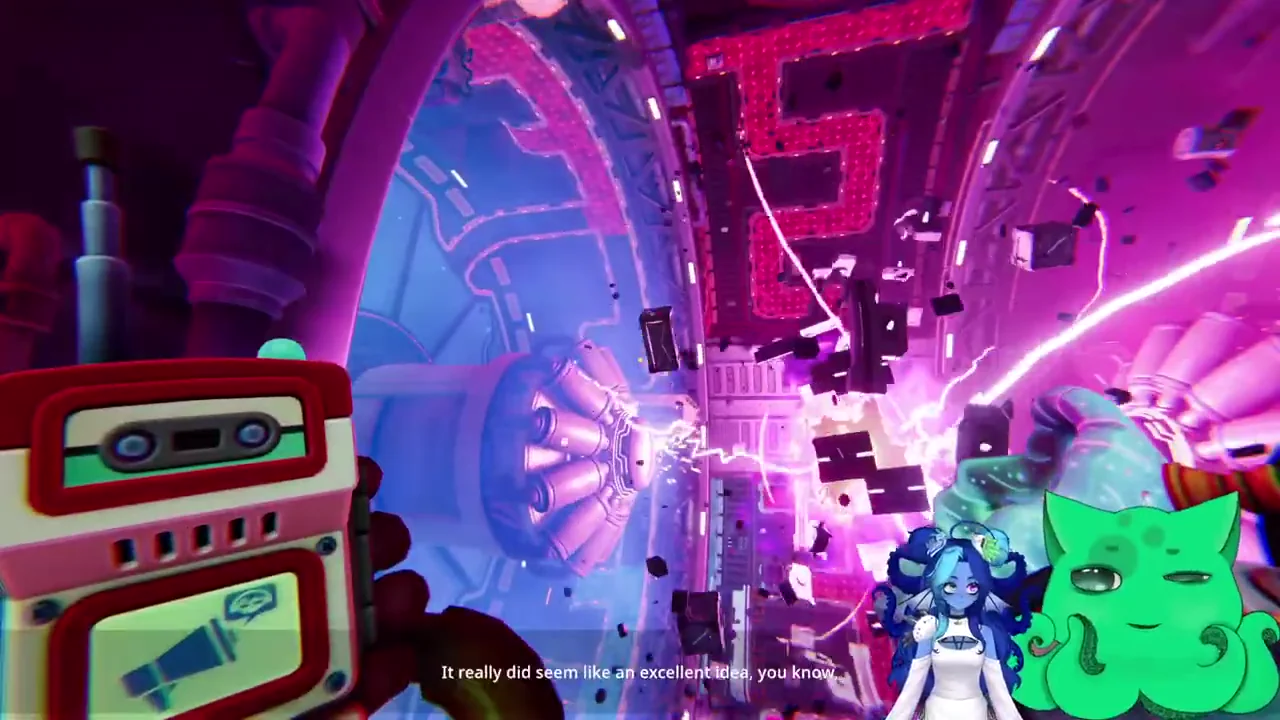
After the lock opens, leave the monitor numbers behind and move into the next machinery room. Look for the held chains, the goop target and the edges that change gravity as you cross. The following gravity route uses held chains, a goop target and gravity-changing edges. Its progress depends on maintaining the correct opening while the other explorer crosses.
Sources
Puzzle reference · Patch 1.1.2