Enshrouded · 1.0 appearance settings
Change Classic and Realistic proportions without starting a new character
On this page
For an existing character, visit the Barber and open the Body type screen. Change the Proportions row, then apply the appearance changes. New characters have the same choice during creation. The 1.0 announcement supports both routes.
Published October 20, 2026 · PC interface shown · 1.0 release source
New character: read the row above the portraits
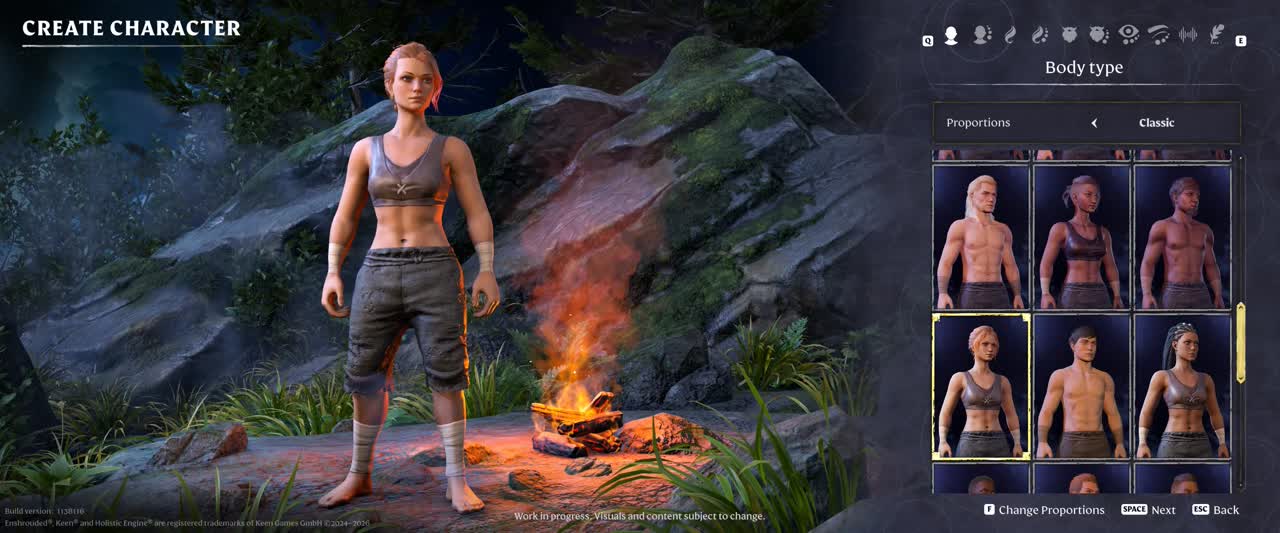
On the creation screen, select Body type and inspect Proportions before choosing a portrait. Switch that row to compare the available proportion styles, then continue through the remaining appearance choices. The keyboard hint in the footage is F for Change Proportions; use the prompt shown by your own bindings if you play with a controller or remapped keys.
If you are only trying to change a character you already play, back out of creation and use the Barber instead. There is no reason to create a replacement save just to reach this selector.
Existing character: apply the change at the Barber
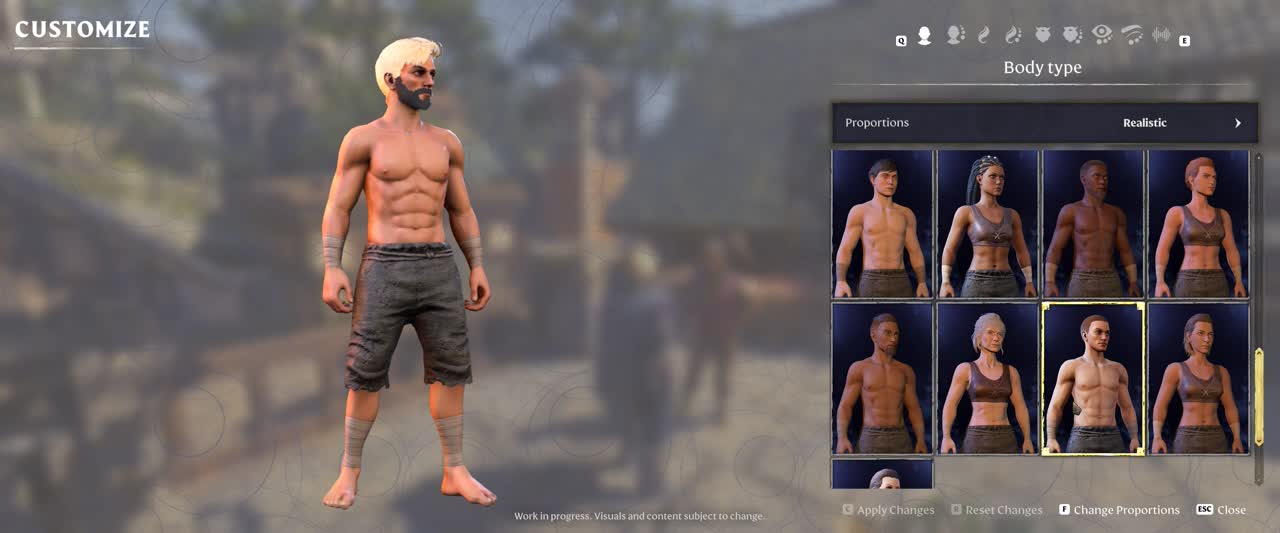
- Open the Barber’s appearance customisation for the character you intend to change.
- Select Body type and read the current Proportions value.
- Switch the proportion style and inspect the character preview.
- Use Apply Changes when you are satisfied. Do not confuse it with Reset Changes or Close.
- Return to play and inspect the result in a familiar outfit.
The two screenshots show different demonstration characters. They identify the selectors; they are not a controlled before-and-after comparison of the same body or equipment.
If the preview changed but your character did not
Reopen the same character’s customisation and read the saved Proportions value. Check whether you confirmed with Apply Changes or left through a different control. Compare the body preview without an outfit hiding most of the silhouette before deciding the switch had no effect.
If the option is absent, check your installed version and that you are on Body type rather than a hair or face category. The release notes place the choice in the character-appearance flow, not in graphics quality or world difficulty.
If you have not reached the Barber, keep your existing character and continue unlocking that service. This guide does not invent a shortcut, quest prerequisite or console command to bypass it.
What this choice establishes
The documented change is a choice of character proportions. It is not evidence that one style gives longer weapon reach, a smaller hitbox or better movement. Pick the appearance you prefer; do not rebuild your combat setup around an untested advantage.
Sources
Keen Games’ 1.0 release notes confirm selection during creation and changes at the Barber. The two menu screenshots come from the publisher’s press-kit video at the times shown. The steps describe those controls without claiming a personal gameplay test.