Enshrouded · Sparkworks
Enshrouded Sparkworks Spawner: Open the Arena Exit
On this page
In the three-spawner example, each Spawner sends its output into one OR node. OR feeds NOT, then the exit door: the exit receives ON only when all three incoming spawner signals are OFF. Check the arena trigger, each assigned spawner and the final inversion separately.
Identify the arena trigger and three spawn positions
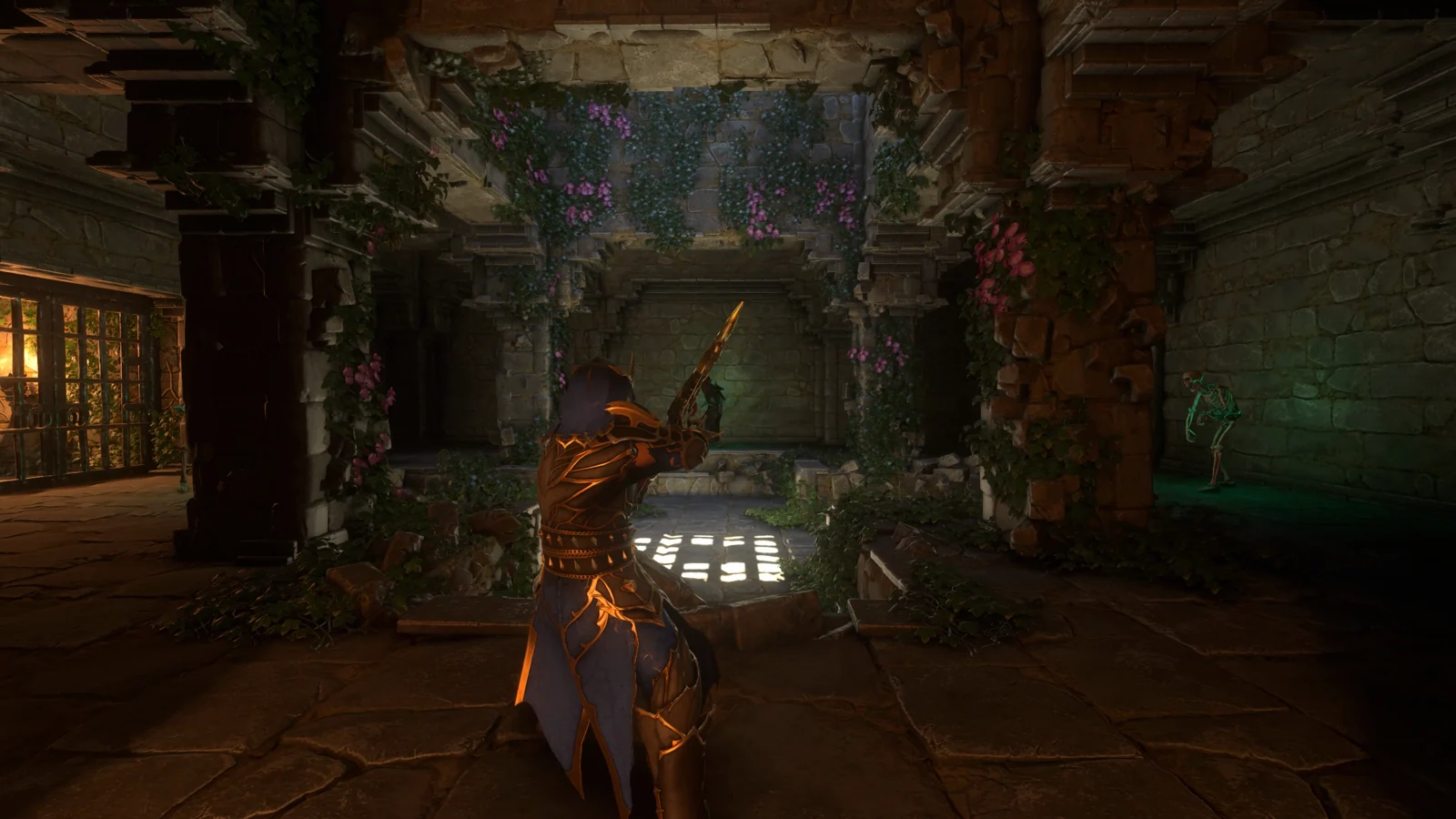
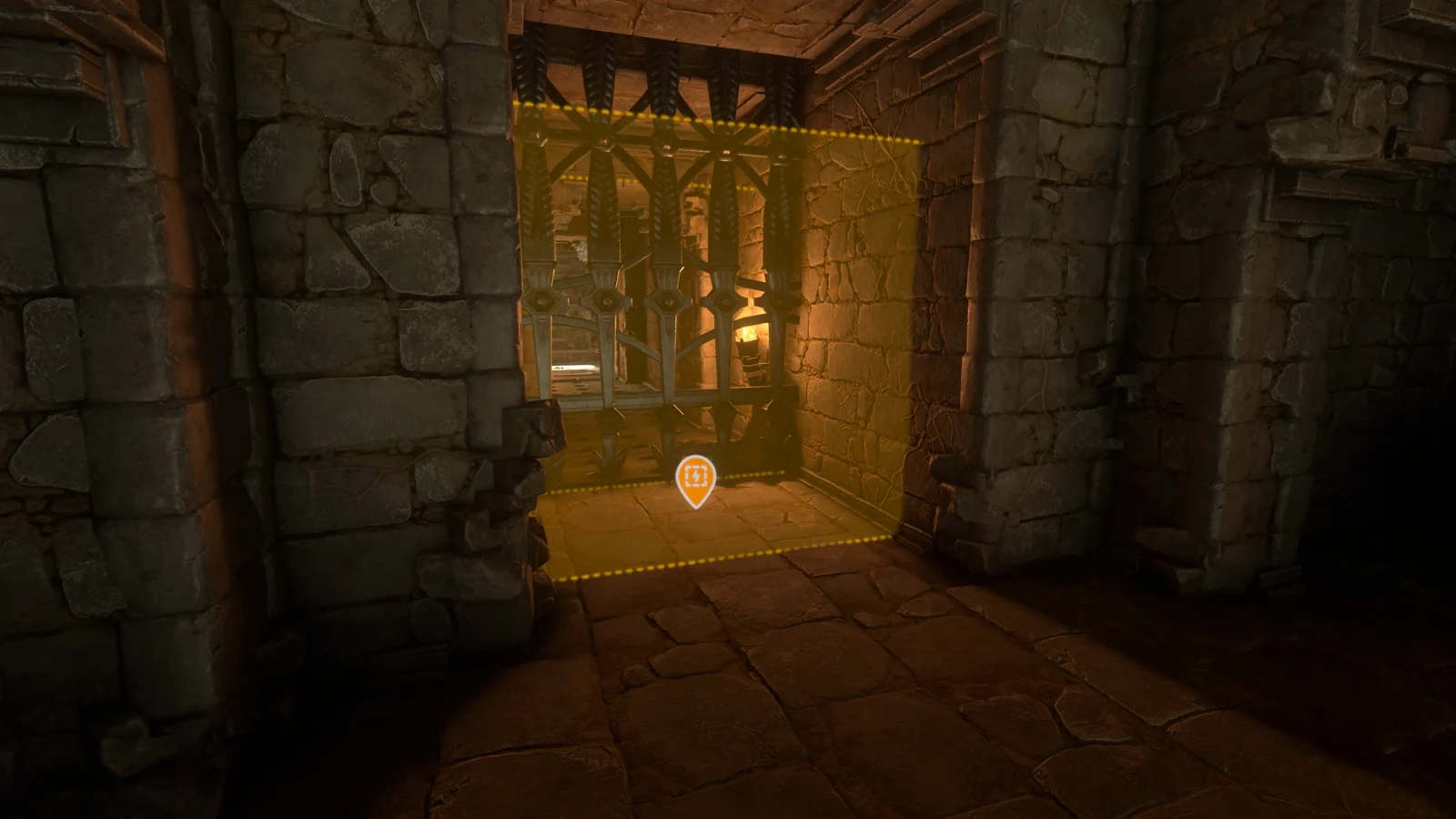
The example arena has three marked spawn positions around a central fighting space and a gated exit. Equip the Sparkworks Tool to inspect the placed objects: the yellow skull markers identify the spawn locations, and the translucent volume identifies the trigger area. Give each location a numbered name before opening the graph.
Keep the exit door’s object name separate from the entrance. In the recorded graph, the exit is Door_Skeletons, while the spawner nodes are numbered 01, 02 and 03. Copying those labels is optional; preserving the distinction between three enemies, one entry trigger and one exit makes the later checks much easier.
Enter the arena once while watching the spawn positions. Note which enemies appear and where each one comes from. If you are testing your own layout, leave enough space around each marker to see it clearly and reach the exit without climbing over the mechanism. Keep the first test small enough that you can count every active enemy.
Inspect the player-only trigger
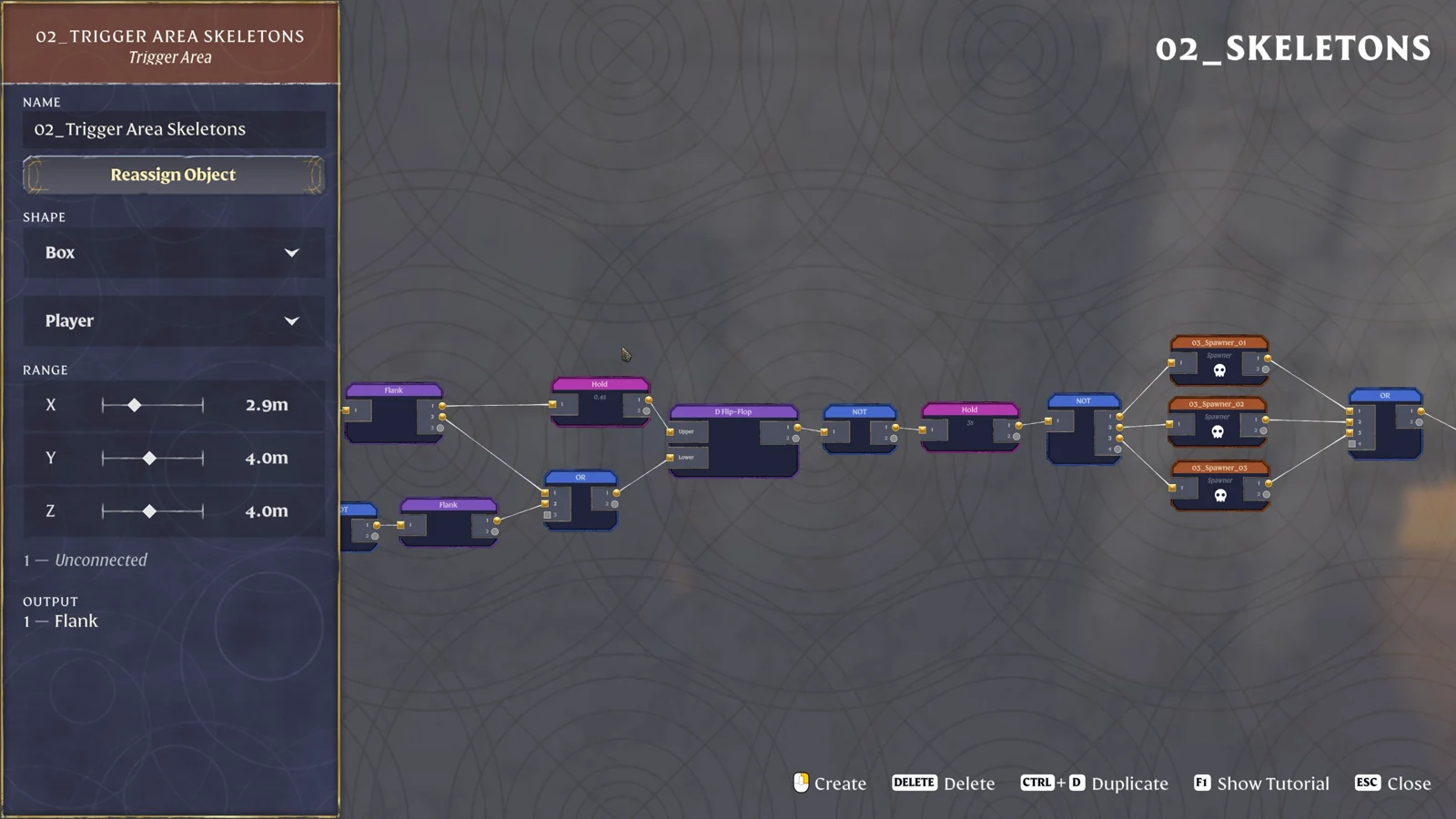
Select the arena’s Trigger Area node and inspect its left panel. The example uses a Box with the filter set to Player; the pictured ranges are X 2.9m, Y 4.0m and Z 4.0m. These are the dimensions of this example’s detection area. Fit the volume to your own entrance so that crossing the intended threshold actually enters it.
Follow its output into Flank. From there, the upper route passes through a short Hold before reaching the D Flip-Flop’s Upper input; another route joins the OR connected to its Lower input. Keep the two inputs distinct when comparing the screenshot with your graph. A wire into Upper and a wire into Lower occupy different ports even when both originate near the same trigger.
The next visible section runs from the D Flip-Flop through NOT, Hold 3s and another NOT before reaching the three spawners. Check this enable section as a chain. If the trigger responds but no creature appears, move along that chain to find the first node or connection whose state stops changing.
Check each spawner’s assigned enemy and output
Select the first Spawner and read its assigned world object, Spawned Enemy and outgoing connection. The illustrated node is assigned Hollow Summoner, with a Level Offset of −5. That selection describes the pictured encounter; choose an available enemy suitable for your own room rather than assuming every new spawner starts with those values.
Now select spawners 02 and 03 individually. Confirm that they point to their own placed markers. If you duplicated nodes while building, this is where to catch two nodes that still refer to the same location. Watch the three positions during the next test and compare each appearance with the node you selected.
| Object | Incoming branch | Outgoing branch |
|---|---|---|
| Spawner 01 | Shared NOT after Hold 3s | Exit OR input |
| Spawner 02 | Same enable section | A separate exit OR input |
| Spawner 03 | Same enable section | A separate exit OR input |
| Exit door | NOT after exit OR | No further connection needed in this example |
Keep spawn timing separate from exit wiring. The Spawner panel has its own Spawn Timeout control, while the shared Hold is a different node farther upstream. Read both labels before changing a duration. A creature returning unexpectedly calls for a look at the spawner’s continued input and timeout, rather than immediately lengthening the exit delay.
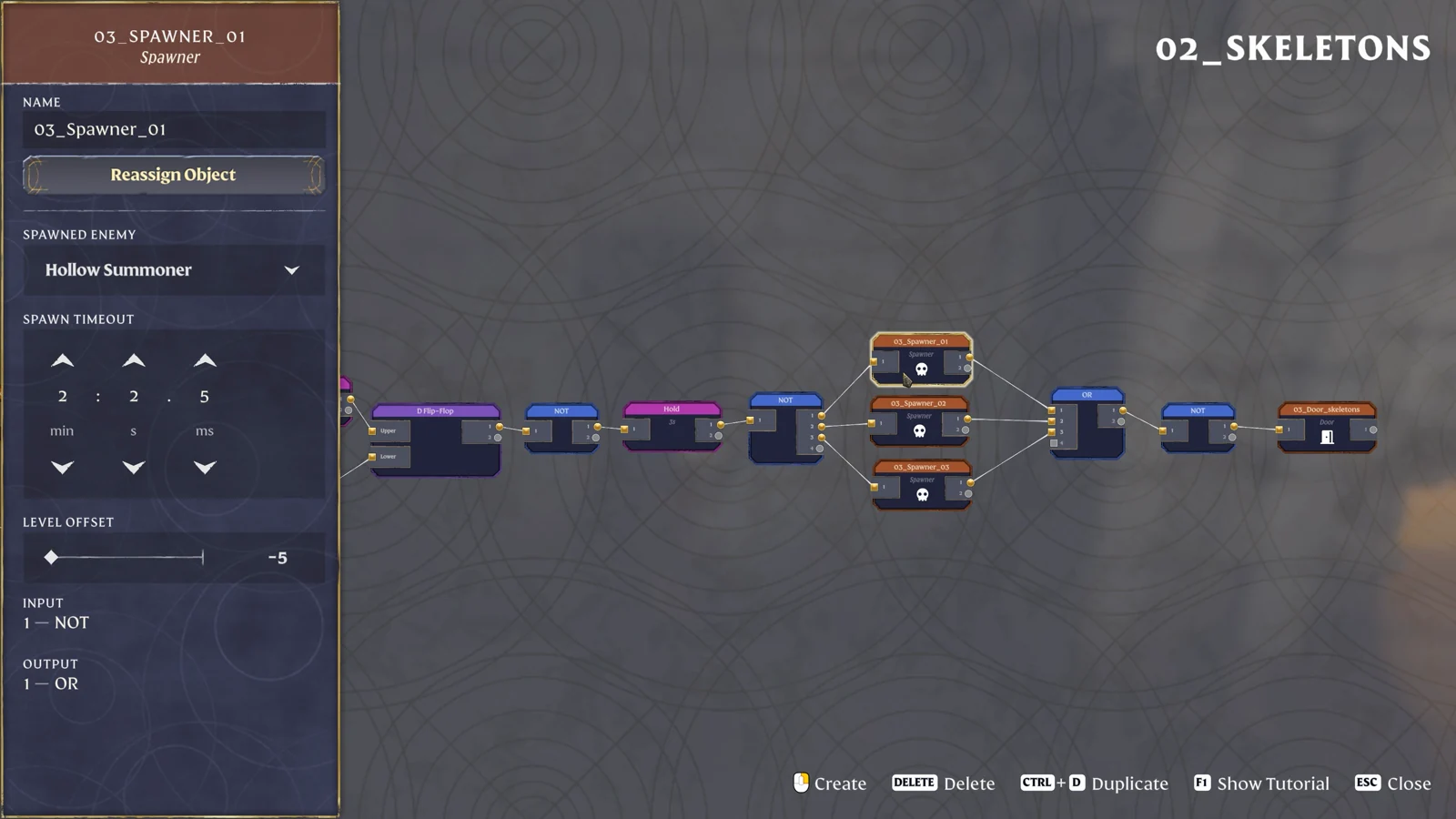
Select the exit door after checking the three spawners. Its left-panel input should name NOT, and that NOT should be fed by the OR collecting the three spawner outputs. Follow the wires backward from the door to confirm the actual chain. Looking only at the spawners’ incoming enable lines misses the separate completion path leaving their right-hand ports.
For a clear diagnostic run, record the three outgoing signal states immediately after entry and again after each enemy is defeated. Label the observations 01, 02 and 03 using the graph’s node names. If the visible enemy count reaches zero while one output stays ON, that identifies the particular spawner to inspect for another creature or continued activation. Preserve that small three-column record while testing the exit; it is more useful than changing every spawner’s timeout together.
Return to the entrance only after observing the final state, since crossing the entry trigger starts another part of the sequence. During editing, keep completion and re-entry as separate tests.
Understand exactly when the exit receives ON
The exit’s final pair of logic nodes is easy to test on paper. OR is ON whenever at least one of its inputs is ON. NOT reverses that result. Consequently, one active incoming spawner signal keeps the door’s input OFF; all three inputs must become OFF before the door receives ON.
| Spawner signals 1 / 2 / 3 | OR | Door input after NOT |
|---|---|---|
| OFF / OFF / OFF | OFF | ON |
| ON / OFF / OFF | ON | OFF |
| OFF / ON / OFF | ON | OFF |
| OFF / OFF / ON | ON | OFF |
| Two or three ON signals | ON | OFF |
Use that table when the room appears clear but the gate remains shut. Inspect each incoming signal separately, then look at the creature and marker associated with the one still active. Check corners and any secondary enemies involved in the encounter before altering the graph. Counting only the enemies directly in front of the exit can miss activity elsewhere in the room.
Test completion before adding another wave
- Cross the intended Player trigger and identify all three spawn positions.
- Complete the small encounter and watch which spawner outputs remain active.
- Check OR, then NOT, then the door input in that order.
- If the door receives ON but stays shut, inspect the assigned door object.
- Leave and repeat the entrance sequence to check the room’s reset behavior.
A premature opening points toward a missing OR input or an incorrectly assigned spawner. A permanently closed exit points toward a remaining ON input, a missing NOT or a door connected to another branch. Correct the particular connection you observed before increasing enemy numbers or connecting a second arena.
For another two-condition gate, see the two-target lightning room. Its AND rule requires both targets to be ON, making it a useful comparison with this arena’s all-inputs-OFF exit.
Sources
Keen Games: Introducing Sparkworks · Official gameplay footage · 1.0 release notes.