Enshrouded · Sparkworks
Enshrouded Sparkworks Spike Traps: Wire the Timed Hallway
On this page
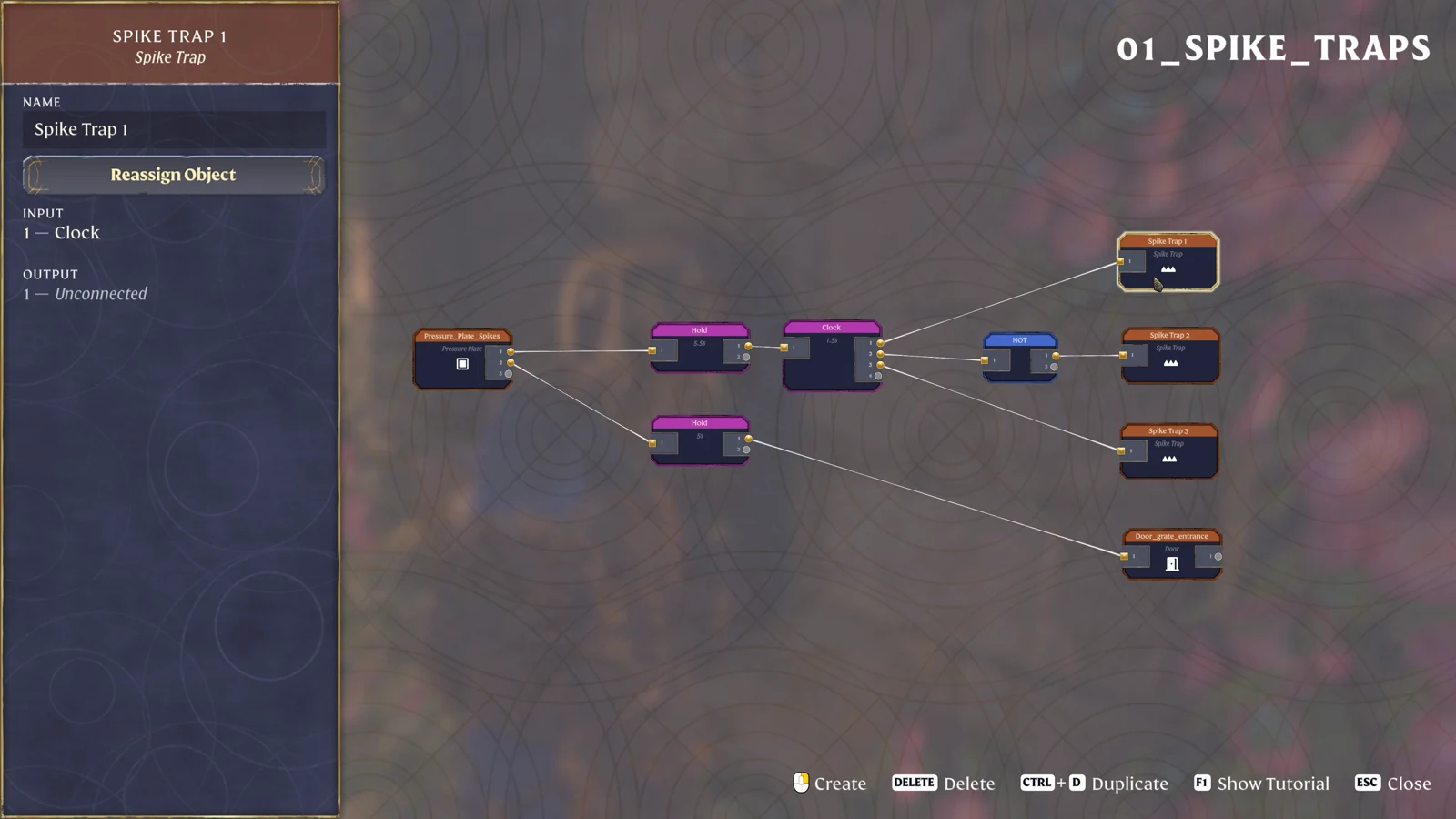
Split the pressure plate into two branches. Send one through Hold 5.5s and Clock 1.5s to the traps, with NOT before the middle trap. Send the other through Hold 5s to the exit door. The outer two traps share a phase; the middle trap uses the opposite phase.
Place the plate, three traps and exit first
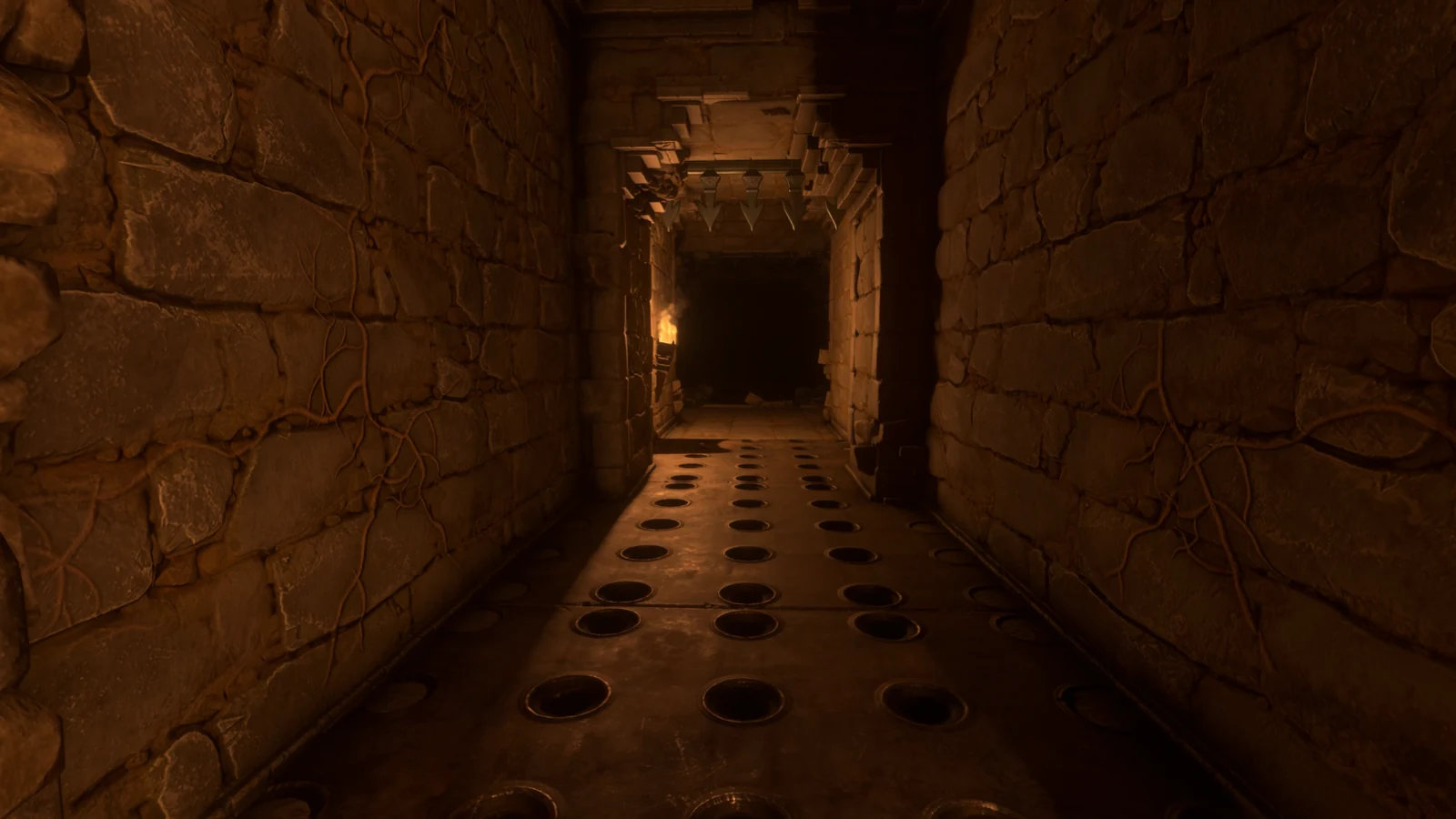
Build a short corridor with three separate spike traps and a door at its far end. Put the pressure plate at the approach, where a player will cross it before entering the dangerous section. Leave a safe strip beside the circuit while you wire it. In the example below, the trap floor is easy to identify by its round black sockets.
Have the Sparkworks Tool available and open the graph for this mechanism. Give the plate, door and traps different names before connecting them: Entry plate, Spike 1, Spike 2, Spike 3 and Exit door are sufficient. Number the traps in walking order. That makes the middle trap easy to find when the graph is spread across the editor.
Use a World Object node for each placed item and check its assignment. Select a trap node and read the object name in its left panel; use Reassign Object if it points to another section of the floor. Finish this check before copying any wires. A perfectly timed graph can still move the wrong trap when two nodes refer to the same placed object.
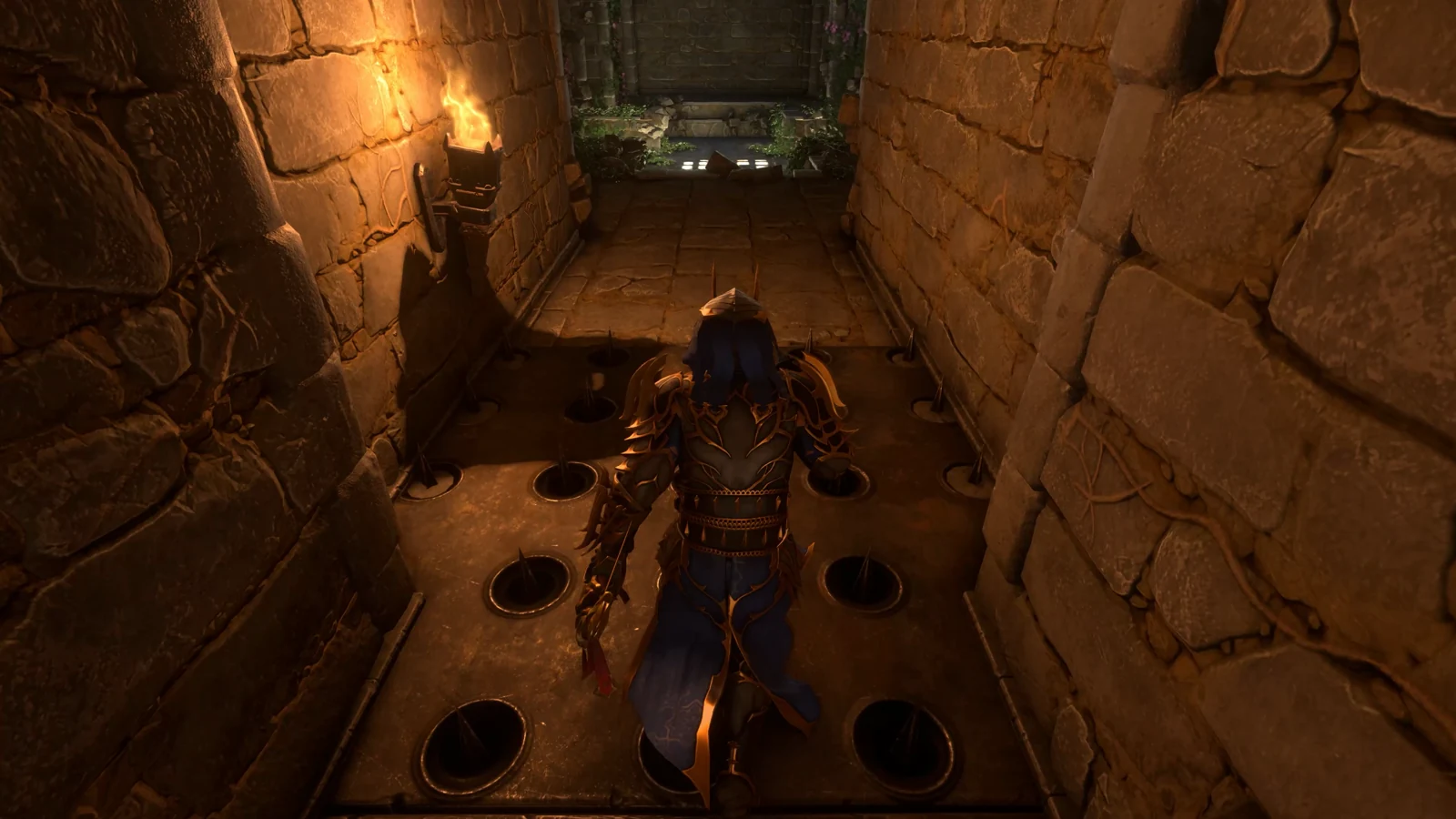
For the trap hardware alone, three Spike Traps cost three Tin Bars in total, while one Pressure Plate costs two Metal Scraps. Craft those at the Sparkworks Workbench. Add the materials for your chosen door separately; the wall blocks and doorway style are up to your build. The graph’s Hold, Clock and NOT nodes are added in the editor rather than placed as extra floor devices.
Keep one clear view of the exit while doing the first plate test. A torch beside the far doorway helps distinguish the door moving from the floor changing phase, especially when several trap sections fill the screen at once.
Wire the alternating trap branch
Run the plate’s signal into a Hold node and set its duration to 5.5 seconds. Connect that Hold to a Clock set to 1.5 seconds. The Hold keeps this branch supplied after the player steps away from the plate, while the Clock changes the signal used by the trap outputs.
Connect the Clock directly to Spike 1 and Spike 3. Add a NOT node between the Clock and Spike 2. Both outer traps now receive the same signal, and the middle one receives its inverse. Arrange the three trap nodes vertically in the editor if it helps you compare their wires with the floor’s physical order.
| From | To | Setting or purpose |
|---|---|---|
| Entry plate | Hold → Clock | Hold 5.5s; Clock 1.5s |
| Clock | Spike 1 and Spike 3 | Matching outer-trap phase |
| Clock | NOT → Spike 2 | Opposite middle-trap phase |
The Clock’s interval describes the time between its ON/OFF changes. With the pictured value, two successive changes span three seconds. Use the visible trap position to judge when the floor is passable; a calculation of the signal interval alone does not include the trap animation or your movement through the corridor.
Give the door its own five-second Hold
Take another output from the entry plate and connect it to a second Hold. Set this one to 5 seconds, then connect its output to the exit door. Keep this wire below the trap branch so that the two timers remain easy to distinguish. The door can now respond to the plate without following each Clock transition.
The two durations in this layout have different jobs. The 5.5-second branch supplies the alternating traps; the five-second branch supplies the door. Changing the door value should be a deliberate adjustment to the crossing window. If you put the door on the Clock instead, it will follow the repeated signal changes intended for the floor.
Read the door’s assignment and input after wiring. The demonstrated door node lists Hold as its incoming connection. If your door lists Clock or NOT, follow the wire back and move it to the separate Hold output. Keep the trap and door names visible while making this correction so that you do not accidentally detach one of the outer traps.
Test the crossing in two passes
- Stand outside the spike floor and step onto the entry plate.
- Step off again and watch whether the traps continue changing after pressure is removed.
- Check that traps 1 and 3 move together while trap 2 takes the other phase.
- Watch the far door separately. It should have its own opening window rather than switching with every floor change.
- Once those observations match, repeat the approach and attempt the crossing, watching the floor immediately ahead.
For the first pass, concentrate on the sequence from the safe edge. For the second, follow the actual opening in front of your character and keep moving toward the door. Standing still on the plate while observing the circuit keeps its input active, so include a test where you have fully left the plate as well.
If the route is too demanding for the movement you want, adjust the door Hold first and repeat the same crossing. Keep the Clock at its original value until you know the door window is adequate. Then change the trap rhythm separately. This gives each adjustment a visible result: more exit time or a different pattern of floor openings.
Find the incorrect branch when something stays closed
| What happens | Where to inspect |
|---|---|
| All three traps move together | Check the NOT between Clock and Spike 2, then confirm the physical trap assignments. |
| The door switches repeatedly | Trace its input back to the separate 5s Hold. |
| The sequence ends as soon as you leave the plate | Check that the plate reaches the Hold input before the Clock. |
| One floor section never moves | Select that node and inspect its assigned object and incoming wire. |
When the graph matches but the physical order looks wrong, rename the traps while standing beside them. Walk from entry to exit and identify each placed item again, then reassign the mismatched node. Rewiring the timer will not correct a node attached to the wrong floor section.
For a longer crossing with separate start and finish areas, continue with the alternating trapdoor bridge. That layout adds a persistent start/stop section before the Clock, which is useful when a single pressure-plate timer no longer fits the route.
Sources
Keen Games: Introducing Sparkworks · Official gameplay footage · Pressure Plate · Spike Trap.