Mycopunk · 1.0
Mycopunk Pattern Infusion: Why Smaller Patterns Lose Stats
On this page
Smaller infused patterns reduce most upgrade stats; larger patterns improve them. Compare the preview and the complete fitted loadout, then check application order with CTRL or L3.
Why shrinking an upgrade lowers its stats in 1.0
Pattern Infusion now changes the effectiveness of most upgrade stats when the pattern size changes. A smaller pattern frees cells but weakens those stats; a larger pattern occupies more room and improves them. When a compact upgrade suddenly looks worse after the 1.0 update, open its stat preview before rebuilding the rest of your loadout.
The useful comparison is between the upgrade’s old and proposed pattern, followed by the complete loadout you can fit around it. Saving cells can still be worthwhile when those cells accommodate an important effect. Enlarging a pattern can also be worthwhile when the improved effect matters more than another small upgrade.
Start with one upgrade whose behavior you understand. Read every stat line, count the occupied cells and note any condition in its description. This gives you a stable starting point for the preview, particularly when a single upgrade changes several properties at once.
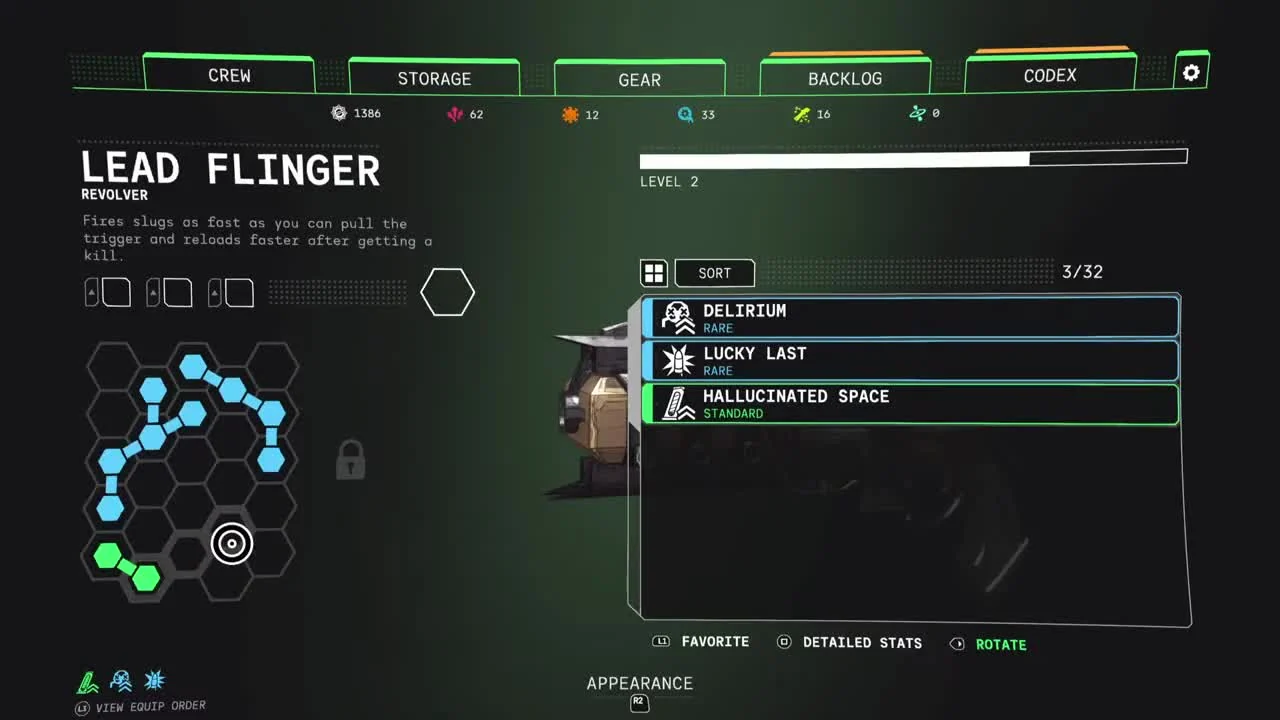
Compare the preview before accepting the infusion
- Inspect the upgrade you want to reshape and record its current stats.
- Choose a candidate pattern that fits the space you need.
- Read each changed stat in the infusion preview.
- Check which upgrade or effect will occupy the cells you save.
- Compare the resulting complete arrangement before committing resources.
Work through the preview line by line. Damage, duration, cooldown and other properties answer different questions during a fight. An attractive improvement to one line can arrive alongside a change to a line your current playstyle relies on more heavily.
For an effect you use every time it is available, compare its uptime as well as its immediate strength. A weaker effect that leaves space for another useful trigger may suit one arrangement; a stronger, larger effect may suit another. Use the actual preview values to make that decision rather than assigning the same value to every saved cell.
The developer’s preview below shows the side-by-side layout used to inspect these changes. It predates the launch balance patches: use the equivalent fields in your current game to read the numbers for your own upgrade. The comparison procedure is useful across different shapes, while the values belong to the specific item being previewed.
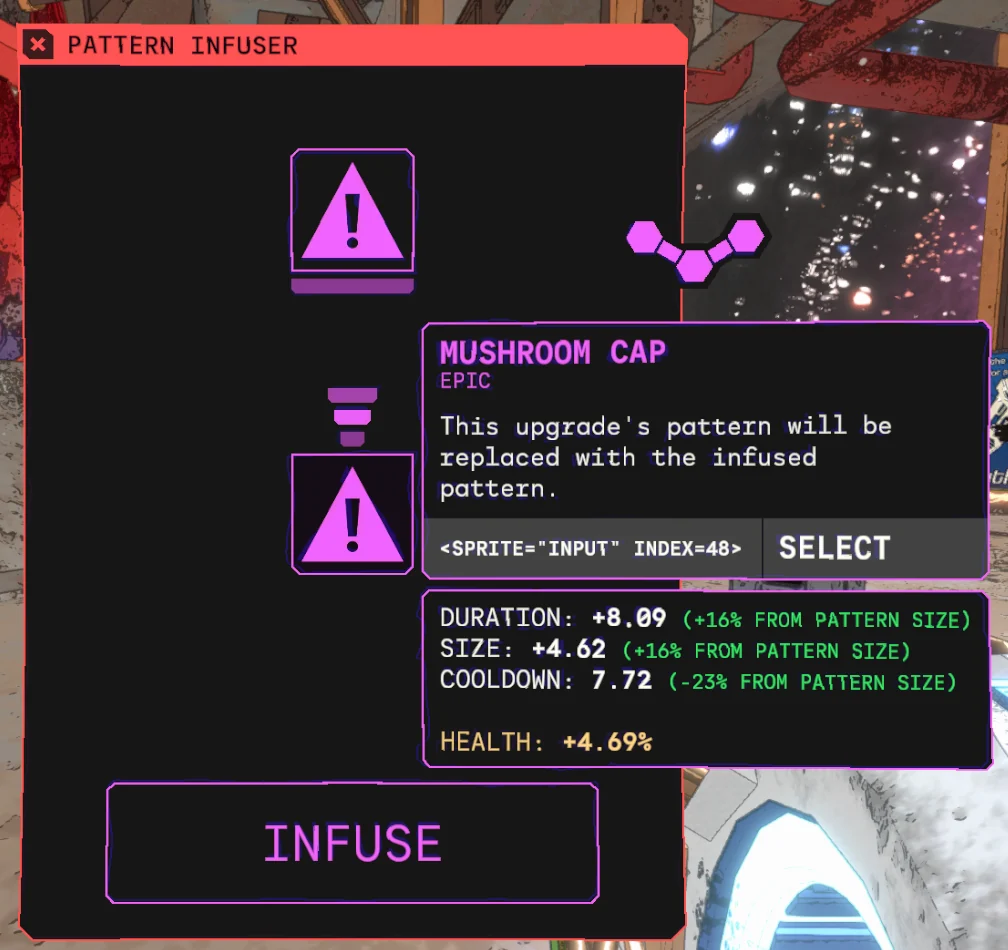
Judge the extra cells with a complete loadout
Suppose your proposed arrangement needs two more free cells. First try moving the existing shapes around the board without changing their stats. If the arrangement still cannot fit, identify the upgrade whose reduced values would interfere least with the intended combination, then inspect that upgrade’s smaller-pattern preview.
Write down exactly what those two cells buy. They might allow an additional effect, a better position for an adjacency condition or a shape that otherwise cannot fit. If the new arrangement simply leaves two unused cells, you are paying a stat penalty before gaining anything from the space.
| Candidate | Record before accepting | Question to answer |
|---|---|---|
| Smaller pattern | Changed stats and cells freed | Which useful effect now fits? |
| Larger pattern | Improved stats and extra cells occupied | Which equipped effect must move or leave? |
| Same-size arrangement | Shape fit and conditional positioning | Can rearrangement solve the space problem? |
For example, compare an unchanged arrangement against a smaller-pattern candidate with its extra upgrade equipped. Use the same employee, weapons and mission conditions for both. Count the events that matter to that combination, such as completed attacks or ability uses, rather than judging the result from a single unusually successful shot.
Keep the candidate’s resource cost visible while planning. Repeatedly changing shapes before settling on a complete layout makes it harder to track what you spent and which version worked. Settle the board plan and the effects you intend to retain before paying for the final changes.
Check surrounding-cell effects and application order
The developers identify an exception for upgrades whose stats depend on surrounding cells. Inspect the exact condition on these upgrades, then check the cells around their proposed position. A smaller shape can alter how the arrangement fits around the condition even when that stat avoids the ordinary size-scaling rule.
Place the conditional effect first when it determines where neighboring shapes must go. Fill the relevant surrounding space with the other upgrades, then reopen its description and the weapon’s detailed stats. This makes it easier to spot a misplaced shape before another mission.
Hold CTRL on keyboard or L3 on controller to display the order in which equipped upgrades apply. Read the icons under the grid from the same screen. Use this view when the final stat differs from the result you expected after adding a second modifier.
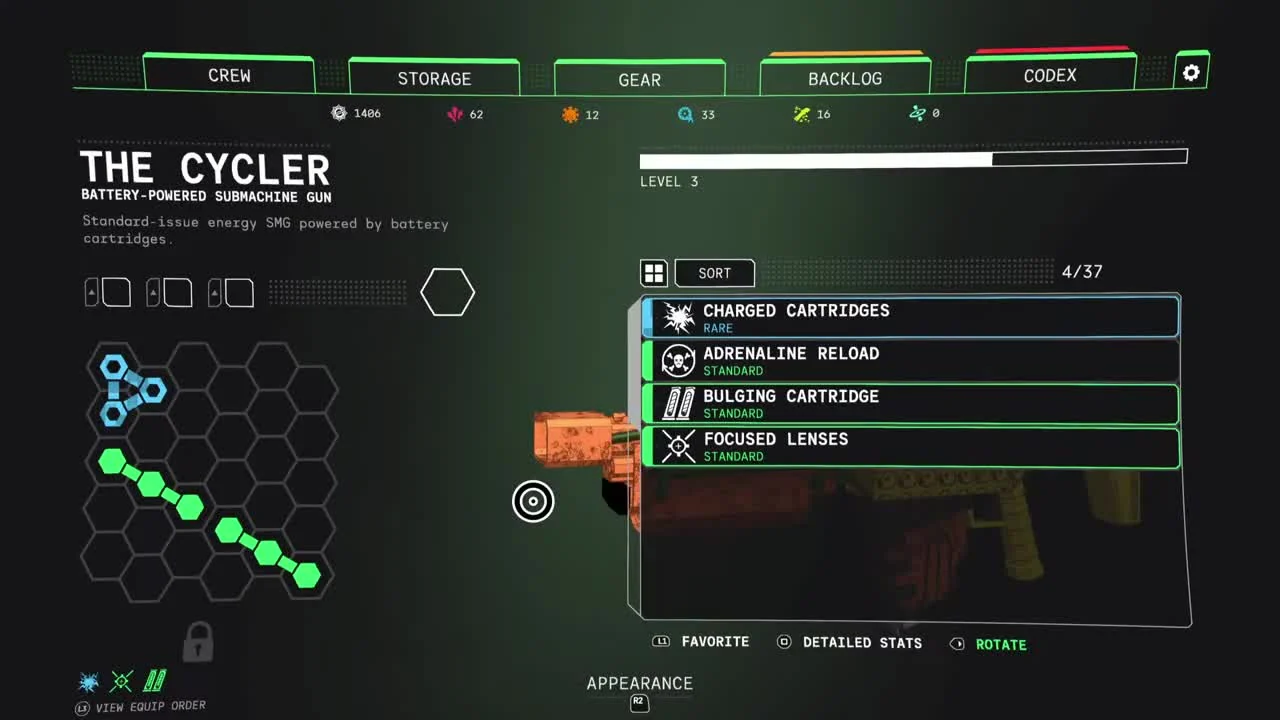
Change one effect at a time while investigating an unexpected result. Record the displayed total, remove or move the effect you are testing, and inspect the total again. A clear before-and-after comparison helps separate the shape change from another equipped modifier.
If you are arranging the new ion scattergun, start with the handling you want from its two firing modes. The Diffraction Driver guide covers its halo and cone before you spend resources on reshaping the upgrades around them.
Update before diagnosing reversed or tiny bonuses
Three successive changes matter when comparing launch examples. Version 1.0 introduced size-based effectiveness. Patch 2.0.2 strengthened the larger-pattern bonus and softened the smaller-pattern penalty. Patch 2.0.3 then corrected some stats that had moved in the wrong direction after the previous patch.
Gunship Cannon’s Prism is a specific example. Patch 2.0.3 increased how much its stats benefit from a larger pattern after the earlier increase had been barely noticeable. If an older screenshot shows almost no improvement, check the installed patch before spending more resources trying to reproduce it.
Glider’s Star Fuel also received a correction in 2.0.2: enlarging the pattern had been decreasing flight duration instead of increasing it. Reopen that upgrade on the updated game and read the current preview before deciding that the shape’s bonus is still reversed.
When a result remains unexpected, keep a record of the upgrade’s name, original shape, proposed shape, both stat panels and installed version. Those details let you repeat the comparison without rearranging the entire board. Retain the working arrangement while you investigate the individual effect.
Sources
Pigeons at Play: 1.0 release notes · Patch 2.0.2 · Patch 2.0.3 · Developer Pattern Infusion demonstration.