Planet Zoo 2 · Aquarium construction
Cannot change an aquarium’s height or shape after filling it?
On this page
Move the animals into boxes and remove the water before editing the aquarium. Frontier’s documented procedure uses Drain Water below the aquarium Info Panel, followed by the Barrier Tool on the empty tank. Save first and confirm the animals are out before draining.
Published October 20, 2026 · English PC interface · Official instructions checked October 20
Prepare the tank before selecting a wall
First confirm that you are editing an aquarium rather than an ordinary habitat pond. Those water systems have different controls. Save a separate copy before changing a stocked tank so you can return to the original layout if its new shape no longer suits the animals.
- Box the aquarium’s animals and confirm that none remain swimming inside.
- Select the aquarium and use Drain Water below its Info Panel.
- With the tank empty, open the Barrier Tool and make the required height, perimeter or terrain changes.
- Refill only after the revised enclosure is complete.
Do not keep trying to pull the wall of a full, occupied tank on the assumption that it behaves like a pond. Removing the water and occupants is a prerequisite in the official aquarium instructions.
Check the selected barrier segment
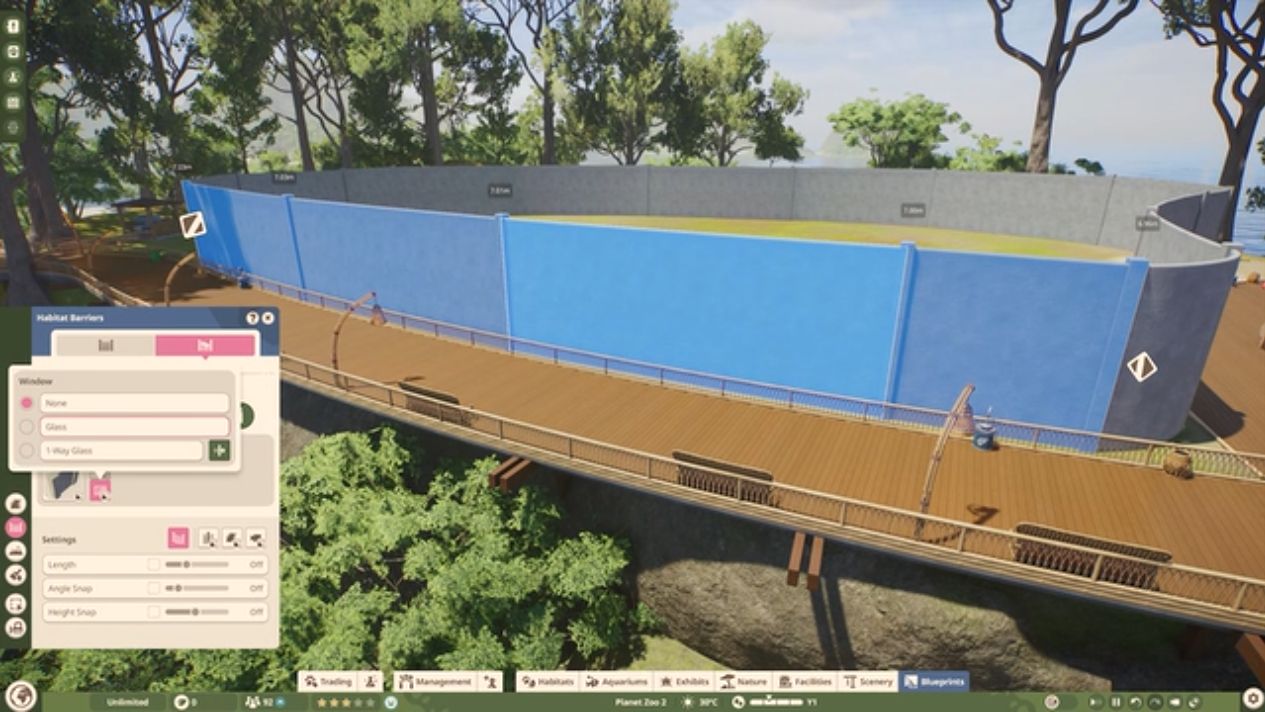
Work on the intended panel or group of panels and inspect the result from inside and outside the tank. A cosmetic window choice is not the same as changing the perimeter’s dimensions. Make one structural change, inspect it, and then continue; this keeps a wrong selection from spreading around the whole enclosure.
A launch-week player specifically asked why an aquarium could not be lowered after placement. The empty-tank procedure is the documented starting point. It does not prove that every possible move or height is valid on every terrain layout.
Before returning the animals
Reopen the aquarium information rather than treating a successful refill as the end of the job. Check the species’ space requirements, temperature and salinity, along with the Staff Gate and staff access. A differently shaped tank can be structurally complete but unsuitable for its former occupants.
Also inspect the filtration network. More water or more animals increases demand. If the rebuild enlarged the tank, the old filter arrangement may need attention before the animals return.
If the new layout still refuses an edit, record which segment is selected and whether the aquarium is empty. If an animal’s requirement remains stuck on Calculating after a reload, keep that symptom separate: this construction procedure is not a verified fix for a stuck welfare calculation. Preserve the save rather than repeatedly digging a deeper tank without a measurable change.
Sources and version
Written for Planet Zoo 2, with the English PC interface and Frontier’s live player guides checked October 20, 2026. Frontier: editing aquariums; barrier selection and enclosure requirements. Player context: lowering aquarium height and stuck deep-water calculation report. Game images are limited publisher instructional excerpts, credited at each image; they show the controls, rather than a personal gameplay test.