Slay the Spire 2 · setup
Slay the Spire 2 Progress Missing After Mods: Check the Save Context First
On this page
Applies to: Main v0.107.1 and beta v0.108–0.111 troubleshooting. Check the installed card text before following the combination.
After changing mods or branch, first record the profile, version and whether the game loaded mods. The developer notes distinguish modded and unmodded save contexts and describe later fixes to copying between them. Missing progress in one context is not enough evidence that the original save was deleted.
Published October 18, 2026 · Developer-source analysis
Build the useful turn, in order
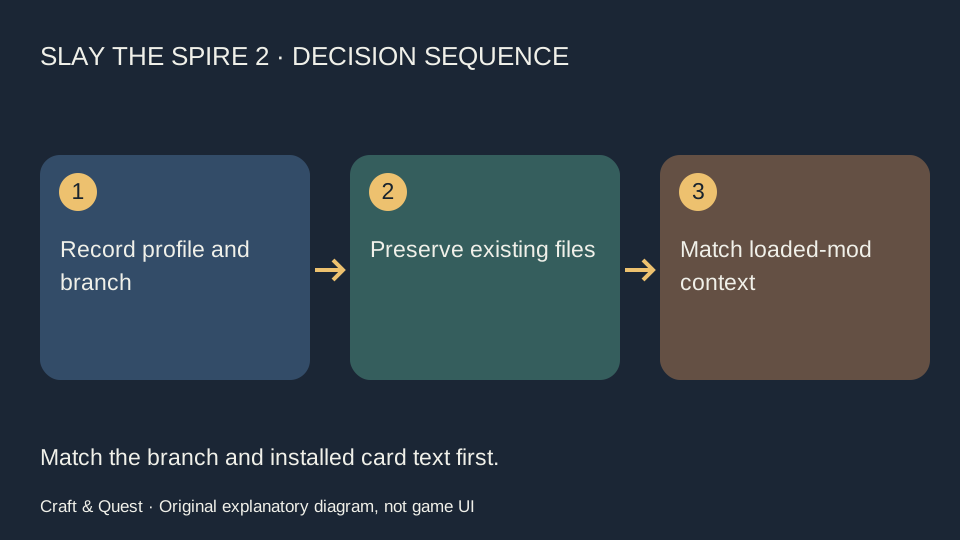
- Stop changing several variables. Record the branch, version, selected profile and whether the mod-loading prompt was accepted.
- Preserve existing save files before any manual operation. Do not delete a folder, overwrite another profile or copy a modded run into a vanilla context just to test it.
- Compare the current context with the one in which the run was created. A run using a modded character may require a matching mod context.
- Check the relevant patch notes and gather the visible error, rather than treating a black screen or missing run as a diagnosis by itself.
What the plan needs
A useful recovery report separates what you observed from what you suspect. Write whether the profile loads, whether history exists, whether a continuing run is present and whether an error appears. Keep those observations distinct from a theory about Steam Cloud. That preserves information for recovery and avoids replacing a recoverable state with an untested fix.
A concrete comparison
If the last successful session used a modded character and the next launch is unmodded, a failed continuation tests compatibility, not whether every save vanished. Likewise, declining mod loading while installed mods remain is a specific situation addressed by later beta fixes. Preserve the contexts before deciding a manual file replacement is necessary.
When the interaction fails
The mods are installed, so the run must be modded
Installed and loaded are separate observations.
A beta fix should already apply to main
Check the installed branch; a beta announcement is not a main-branch release.
I should overwrite the new folder with the old one
Do not use destructive replacement as the first diagnostic step. Preserve both and identify the correct context.
Version and sources
Sources retrieved October 18, 2026. The stated branch is part of the mechanic, not an optional label. Main and beta may have different card text; do not combine values from both into a fictional build. Calculations and decision sequences are independent analysis, not a personal gameplay result, win-rate claim or guaranteed infinite.
Before adopting the route, compare the current card, its upgrade state and the encounter you need it to solve. If a required piece is absent, choose the next useful action from the existing deck rather than taking a risky reward solely to force this example.