Transport Fever 3 · Industry closure
Industry closing? Restore activity before the countdown expires
On this page
The documented closure countdown stops if the industry resumes consuming, producing or shipping goods before it expires. Check the notification and actual stock movement. A route passing the industry without handling cargo does not establish that activity resumed.
Published October 19, 2026 · Sources checked October 19 · Free-game industry closure
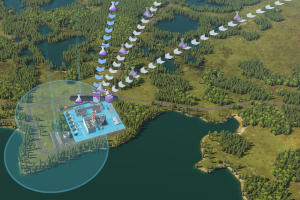
Read the timer before rebuilding the supply chain
The manual describes a 730-day warning period after an unused industry is marked for closure. When calendar speed is paused, the display uses real time instead. Do not assume that a paused calendar means the warning can be ignored.
Record the affected industry's name and remaining time. Make sure you are inspecting that exact site: another factory with the same production rule does not rescue this one. Start with the smallest change that restores an actual transaction, then verify the notification.
Choose a recovery action the site can perform
- A producer with output waiting: inspect whether a suitable service can collect that output.
- A processor missing input: identify the required input in its production panel and restore the missing delivery.
- A route that only passes nearby: verify the intended stop and cargo operation before counting it as service.
These are investigation paths, not interchangeable buttons. The site's current production and stocks tell you which is plausible. Buying more vehicles before locating the missing operation can leave you with a larger fleet and the same countdown.
Confirm activity, then confirm the warning changed
Follow the recovery vehicle through the relevant stop. Check whether goods were actually moved and whether consumption or production restarted. Then return to the industry notification. Keep those observations separate: seeing a truck arrive is weaker evidence than seeing the goods transaction and the countdown stop.
If the first visit fails, record whether it arrived empty, could not reach the terminal or collected the wrong item. Fix that failure rather than rebuilding unrelated connections. If it succeeds, keep the route running and inspect the next cycle before treating the supply chain as stable.
Why another idle industry may not be closing
The documented conditions also depend on the closure-frequency setting, a long period without production/consumption or shipments, and whether the player owns the industry. Two apparently idle sites can therefore have different outcomes. Do not treat the warning as a general countdown applied to every factory on the map.
Source: developer manual: industry closure, checked October 19, 2026. No claim is made that a permanently removed industry can be recovered by these steps. For a failing hub handoff, see warehouse transfer checks.
See the official industry overview
Official industry footage, Future challenges chapter, 4:23. Published August 28, 2025, before release. Industry context only, not a demonstration of this fault or recovery. Current manual rules are cited above; footage stays on its original host.