Valheim · Specific problem, practical next step
Valheim Deep North Terrain Seams Reappear? Patch and Local Repair Checks
On this page
Update before repeatedly repairing Deep North terrain seams. Patch 1.0.15 addresses duplicated terrain; the later 1.0.16 fixes terrain changes reverting after an area unloads. The developer says affected seams may still need local repair with a pickaxe, hoe or walking over snow.
Published October 18, 2026 · Current patch history reviewed
What to do first
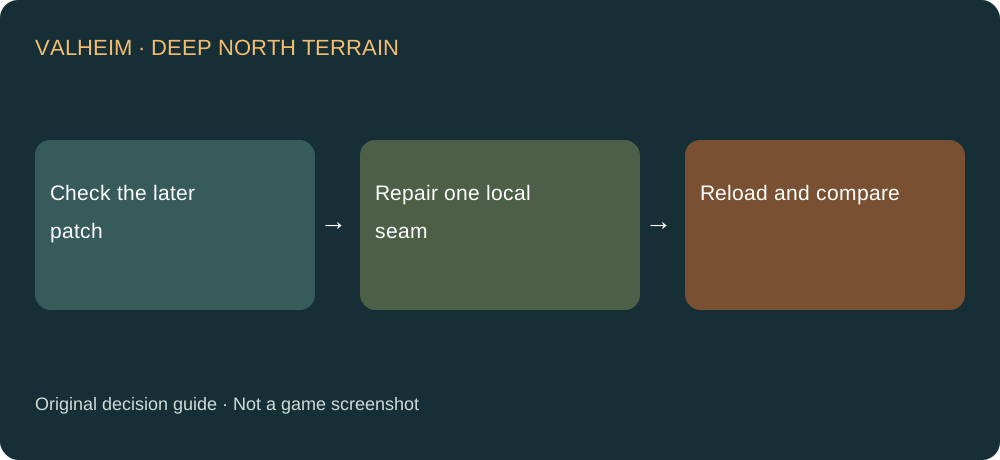
- Record the build and capture the seam before changing the ground. Note whether the problem is appearance, reverted edits or performance.
- Check for the later 1.0.16 persistence fix rather than stopping at the first duplication announcement.
- Keep a backup, then repair a small affected section using the documented interaction appropriate to the ground.
- Leave and return to check persistence before reshaping a larger region. Compare with the original view.
Why patch order matters
The first announcement discusses duplication and visible seams. The later patch explicitly acknowledges another persistence problem. Repeating the same local repair on an older build misses that sequence. Verify the installed version before concluding that a method does not work.
Keep the change local
The developer names pickaxing, hoe use and walking over snow. It does not tell you to flatten a settlement. Protect nearby construction and make the smallest change that allows you to test the seam and its persistence. Avoid several simultaneous changes that leave you unable to identify what helped.
Missing structures are a different symptom
A surface seam is not the same as a building or chest disappearing. Do not use this terrain remedy as a blanket response to missing objects. Preserve the current save and backups before further work if world objects appear lost.
If the seam returns
Record platform, patch, terrain action and what happens after reloading the area. State whether the same small seam returns or a different border appears. A before-and-after comparison gives support a clearer case than a large landscaping change that hides the original symptom.
Sources and next steps
Steps and diagnostic comparisons are independently written. For a different problem, choose its specific answer in the Valheim guide directory. For lost equipment levels after conversion, see the backup recovery decision.