Valheim · Version-aware troubleshooting
Valheim Draw Distance: what to change when performance drops
On this page
In Valheim 1.0, Draw Distance changes simulation distance. Try a shorter distance when performance is poor, then compare the same scene before changing other settings. A longer distance can improve distant visuals while increasing the workload; it is not a free visual upgrade.
Published October 18, 2026 · Official mechanics and an independent diagnostic workflow
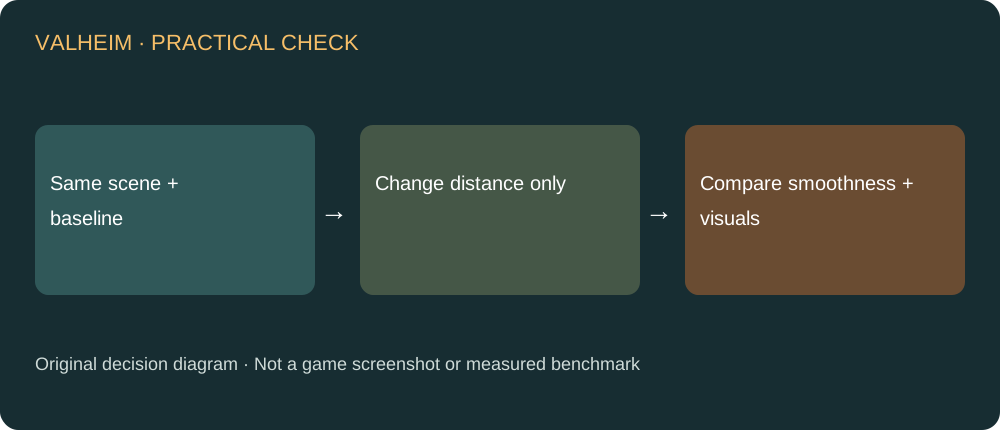
Start with this sequence
- Choose a repeatable route through the area where performance is poor. Keep resolution, other graphics settings and the route unchanged for the first comparison.
- Note your current Draw Distance and observe the route once. Record whether the problem is continuous low frame rate, occasional hitches or delayed multiplayer responses. These symptoms need not share one cause.
- Reduce Draw Distance through the game setting, then repeat that route. Compare the same direction and activity rather than a quiet shore against a crowded base.
- Keep the shorter setting only if the performance and visual trade-off works for you. If nothing changes, restore the baseline before investigating another variable.
Why lowering distance can help
Iron Gate describes this setting as changing how far the game simulation extends. That makes the practical question more specific than whether distant scenery looks attractive: how much surrounding activity are you asking the game to handle? Choose a distance that supports the place you actually play, rather than copying a maximum preset because a different computer runs it well.
A comparison you can actually interpret
Use a short note with four fields: area, current distance, changed distance and observed symptom. If you measure frame rate, use the same tool and sampling interval in both passes; do not compare one instantaneous peak with an average from another run. Repeat a borderline result. A more stable route is a useful outcome even when a peak number barely changes. This is a testing method, not a claim that we measured a particular improvement.
Large bases need their own check
If the issue happens only at your main build, test that build rather than an empty meadow. A setting improvement elsewhere does not prove that it solves the workload at your home. Conversely, one crowded scene does not establish that every biome runs badly. Keep the location in your notes so that you can return to it after a patch or another setting change.
Dedicated-server CPU is a separate branch
Patch 1.0.20 fixes a specific case where a dedicated server could run at an uncapped frame rate when V-sync was enabled in the client on the same computer. If that is your setup, update and compare the server process separately from the client. Lowering the client visual setting is not a substitute for identifying the server-side CPU issue. Do not disable protections or change unrelated server configuration as a blanket FPS fix.

Sources and related help
The diagnostic order and comparison method are editorial guidance. No measured FPS gain, exact drop percentage or guaranteed result is claimed. For a different 1.0 problem, see equipment upgrades lost during save conversion, or return to the Valheim guide directory.