Valheim · Specific problem, practical next step
Valheim Mods Crash After an Update: Isolate the Loader, Plugins and Save
On this page
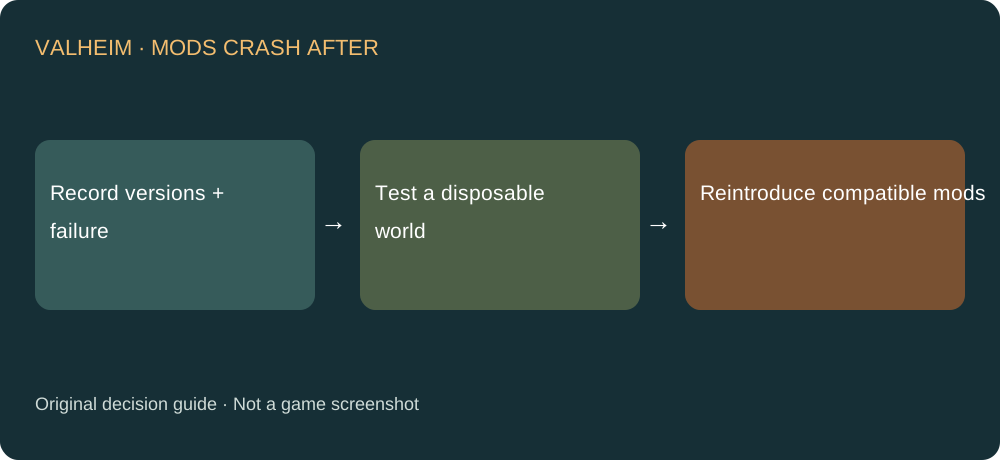
Check the base game, loader, plugins and save separately. Compare with a clean launch in a disposable test world, then reintroduce compatible components. Preserve the real world and character before changing a modded setup; do not use your only long-running save as the test.
Published October 18, 2026 · Current patch history reviewed
What to do first
- Record game build, loader version, plugins and the last successful action before failure.
- Read the loader and plugin authors’ current compatibility instructions. A recent upload date alone does not prove support for your game build.
- Use your manager’s documented separate profile or clean-install procedure with a disposable test world. Keep the real saves untouched.
- If the clean baseline works, restore a compatible loader and dependencies, then plugins in small recorded groups.
Why version matching matters
Iron Gate’s FAQ provides no official mod-support guarantee. A game update therefore calls for checking each project’s compatibility, not declaring that every mod works or every mod is broken. Use the original project instructions rather than a version number copied from an unrelated setup.
Describe where it fails
A crash before the menu differs from a successful menu followed by a failed server join. A problem after loading one modded item needs another comparison. If a clean test also fails, do not blame a particular plugin until the base-game problem has been investigated.
Protect the actual playthrough
A world or character may rely on content added by a mod. A disposable world lets you test startup without turning recovery into another experiment. Record the known-working profile so you can return to it. Do not delete a world or overwrite the only backup as a generic first fix.
Give the author a reproducible report
Provide the exact version combination, required dependencies and the short action sequence that triggers the error. Check logs for private details before sharing them. A report that a clean baseline works but one named plugin group fails is more useful than simply saying the update crashes.
Sources and next steps
Steps and diagnostic comparisons are independently written. For a different problem, choose its specific answer in the Valheim guide directory. For lost equipment levels after conversion, see the backup recovery decision.