We Were Here Tomorrow · Launch puzzles · Spoilers
We Were Here Tomorrow 4×4 Printer Grid: Get the Green Key Card
On this page
Copy the current lit cabinet’s 4×4 pattern onto the printer grid. The miniature explorer uses four directional pads and a centre confirmation pad. Read one target column per row, move the cursor there and confirm, then continue down the grid until the printer produces the green access card.
Finish both dial groups and find the lit cabinet
The grid comes after the floppy-door dial sequence in R&D. Complete both groups before expecting the printer puzzle to activate. The miniature explorer reaches the small floor controls inside the machine; the partner remains in the laboratory with a view of the cabinet display and printer.
Look for the illuminated cabinet showing a four-by-four pattern. Read that target from top to bottom. Use columns one to four from left to right. Each row has one selected target cell, so write the answer as four column numbers rather than trying to describe all sixteen squares over the radio.
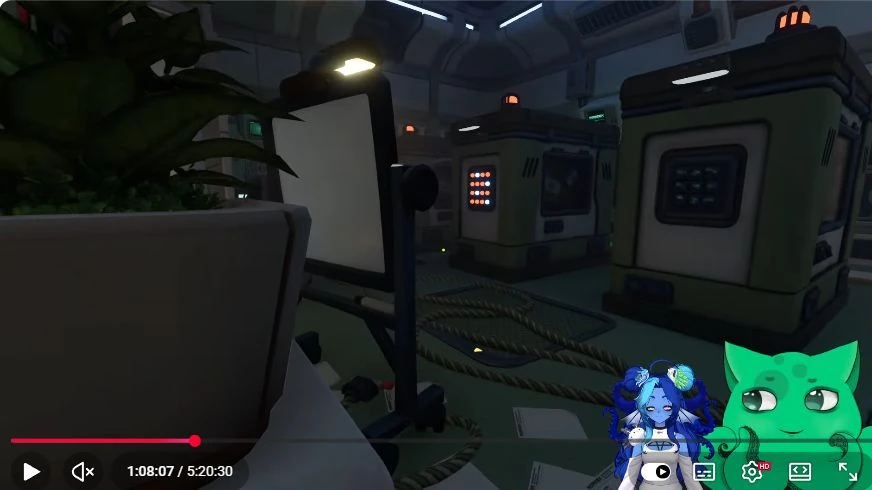
Agree on coordinates and identify the cursor
Call the upper-left square row one, column one. The cursor begins at that corner in the documented setup. Watch its response to a single direction input before submitting the first cell. The moving or blinking cursor identifies the cell under control, while a selected light marks a choice already made.
The controller has up, down, left, right and confirm. A direction moves the cursor by one cell; confirm changes the selected state at that position. Each row can hold one selected cell. Give movement and confirmation as separate instructions, especially while the small player walks between pads.
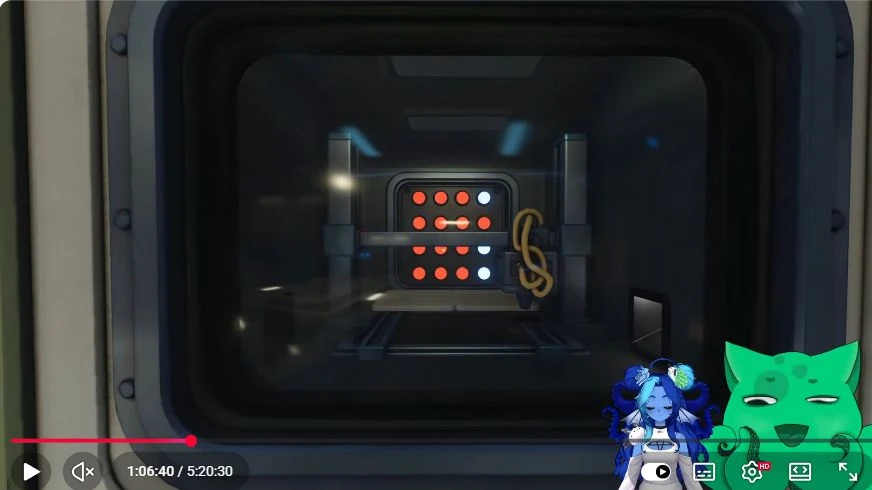
Enter the target one row at a time
- The reader calls the current row and target column.
- The operator moves the cursor and reports its new position.
- The reader checks that position against the printer display.
- The operator uses confirm once.
- Check the selected cell, then move down to the next row.
Keep the cursor’s column in your callout when moving down. A downward move changes the row while preserving the horizontal position. If you were at column four on row two, moving down places you at row three, column four. Count the next horizontal movement from there.
Work through an example before entering your pattern
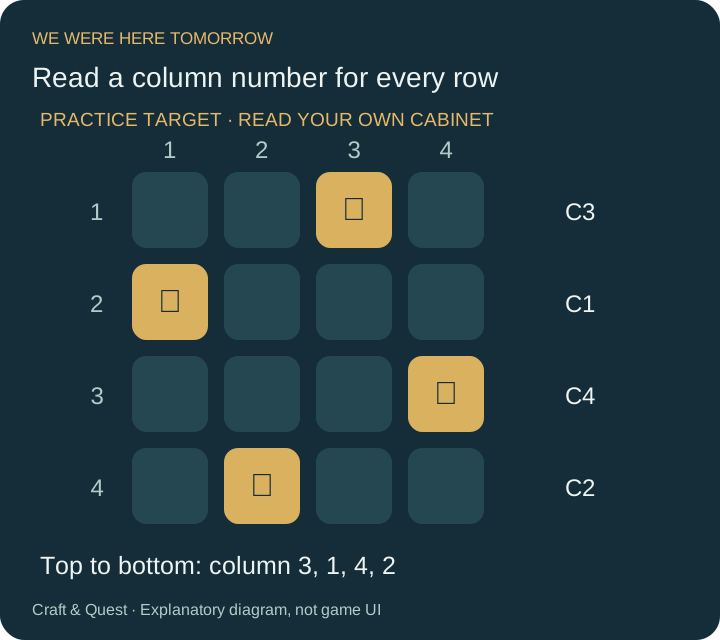
For a practice target of columns 3, 1, 4 and 2, start at row one, column one. Move right twice and confirm. Move down once, left twice and confirm row two. Move down, right three times and confirm row three. Finally, move down, left twice and confirm row four.
| Row | Example target | Movement from the previous confirmed cell |
|---|---|---|
| 1 | Column 3 | Right ×2, confirm |
| 2 | Column 1 | Down, left ×2, confirm |
| 3 | Column 4 | Down, right ×3, confirm |
| 4 | Column 2 | Down, left ×2, confirm |
The arithmetic is the target column minus the current column. A positive difference means move right; a negative difference means move left. This gives a short instruction for any row while preserving a clear record of where the cursor should finish.
Correct a missed move or double confirmation
If the selected square is wrong, stop before moving to another row. Read the cursor’s actual row and column from the printer view. Compare the row’s selected square with the cabinet, then move to the correct column and adjust that row’s selection. Inspect the result before continuing.
If you lose the cursor, make one controlled direction input while the observer watches for the blinking cell. Report the newly visible coordinates before issuing another move. Short calls such as “right once, stop” make it easier to distinguish one completed input from an instruction repeated over the radio.
Check the lowest row carefully when the printer’s bar obstructs part of the window. Change the viewing angle or have the small explorer help identify that row. If the final confirmation produces no card, compare all four selected positions with the target rather than replaying the whole movement list without looking.
Suppose the third row should be column four but the observer sees its selected square at column three. Call the current cursor coordinates first. If it is still at that selected square, move right once and correct the selection, then inspect row three again. If the cursor has already moved to row four, return to row three before changing its column. Writing down the selected target and the moving cursor separately makes this correction much easier.
Collect the access card and regroup
When the patterns match, the printer creates the green key card. Collect the output and use the available route back out of the miniature section. Have the outside partner operate the enlargement equipment when the small explorer returns.
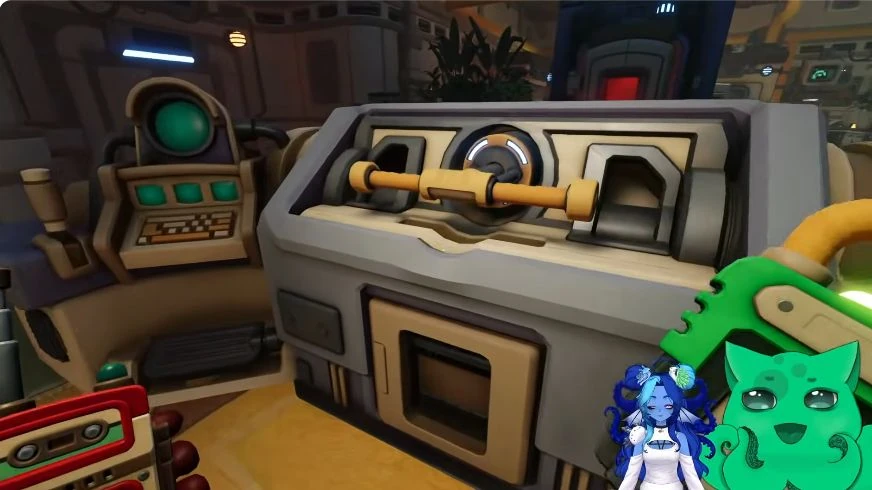
If the target display has changed after restarting the puzzle, replace the four column numbers in your notes and solve the new pattern. The movement method stays the same. For a grid that remains inactive, return to the two dial groups and inspect whether both were completed.
Sources and gameplay reference
- Grid rules and random pattern
- Cabinet display and cursor observations
- fgw: printer grid, 47:19–50:27
- Zedaph: cabinet pattern, 1:30:24
Step images: Darlom, We Were Here Tomorrow Can A Couple Solve All The Puzzles? | Live Gameplay, Creative Commons Attribution. Frames exported as WebP with the original creator overlays retained. Game © Total Mayhem Games.