We Were Here Tomorrow · Launch puzzles · Spoilers
We Were Here Tomorrow Wellness Check: Symbols, Devices and Reset Order
On this page
Complete the three-button symbol sequence, then operate the three devices requested by the next sequence. Read the current display before each attempt: a wrong order restarts that part with a new answer. Finish the successful test and leave through the opened route.
Find the clue desk and the input room
The Wellness Check is the opening cooperative test inside Norček’s facility, after the introduction. One side has the computer that supplies the instructions; the partner reaches the matching buttons and physical mechanisms. Start by describing those stations to each other. Use “clue desk” and “input room” as your role names so the instructions remain clear whichever character you selected.
Before entering a sequence, test a short radio exchange. One person describes a visible feature, releases push-to-talk, and waits for the partner to repeat it. Keep the transmission clear until the full callout has finished. That read-back matters here because the same voice channel carries both the object description and its position in the sequence.
Finish the symbol-button test
Read the three symbol displays and the answer console together. Identify each symbol by its visible features, then locate the corresponding button on the other side. Use one description for one symbol throughout the attempt. A description such as “the shape with two loops and a short stem” is easier to distinguish from a similar emblem than “the weird circle.”
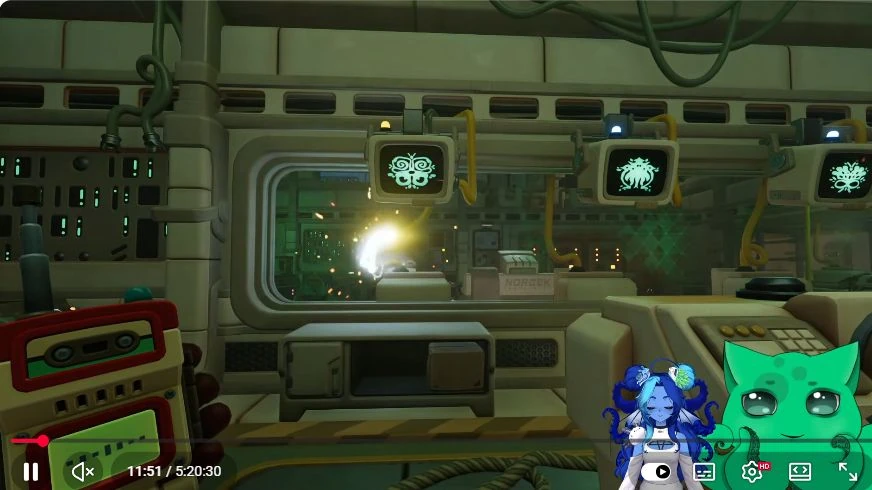
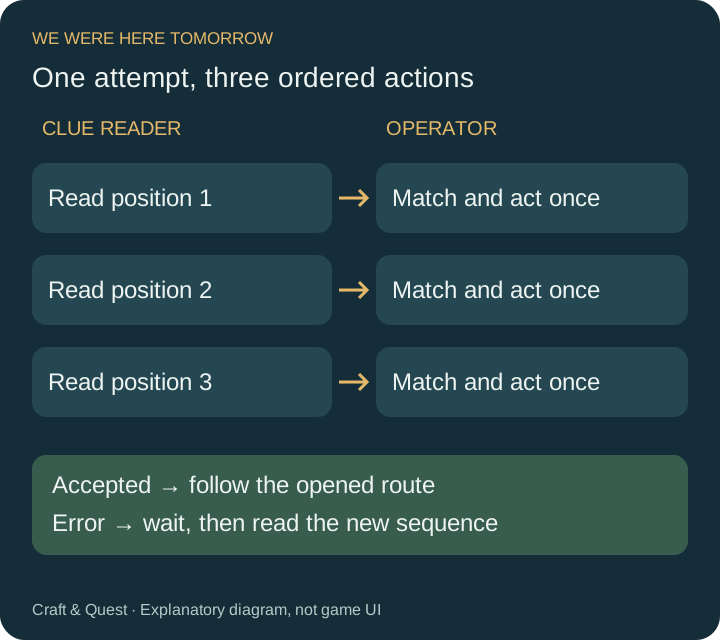
- The clue reader identifies the first requested symbol.
- The operator finds its matching input and repeats the description.
- After both agree, the operator presses that button once.
- Repeat for the second and third positions.
- Inspect the console’s acceptance or error feedback before continuing.
Read the order from the active display rather than arranging the buttons by their physical location. If the clue’s second symbol sits at the far left of the operator’s room, it is still the second input. Keep a short numbered list beside the game if you lose track while walking between controls.
Match the machinery pictures to actual devices
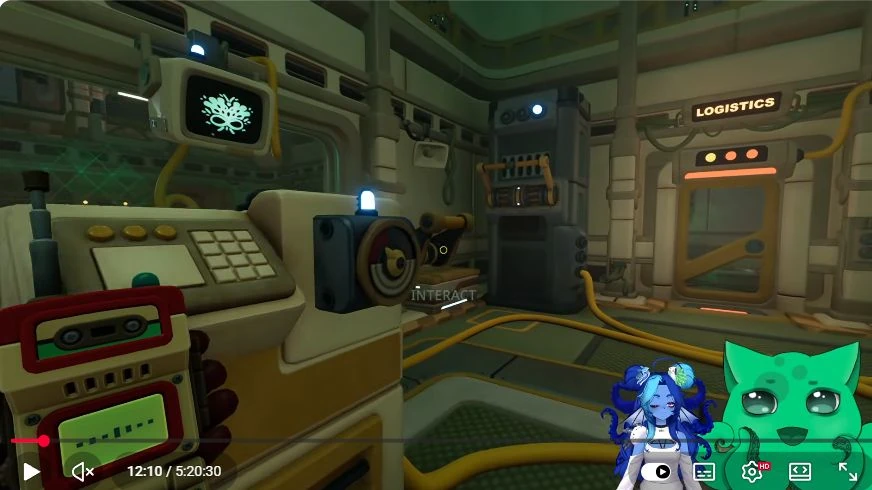
The next part asks for three devices from the room’s available mechanisms. The documented set includes a pressure plate, slider, climbing frame, side pull lever and button. Walk around the input room and identify the usable objects before starting. The clue reader should describe the current pictures while the operator matches their shape and operation.
For a pressure plate, describe the floor-level surface you stand on. For a pull control, describe the direction and position of its handle. Use the machinery’s outline and any connected wire to tell nearby objects apart. Agree which physical device each picture means, then carry out the three requested actions in order.
For example, if the current display requests a plate, a side lever and a button, number those actions one to three. The operator can say “one, plate” before using the plate, then move to “two, side lever.” This sample is a way to organise the callouts; read your own display to choose the devices for the actual attempt.
Recover from an incorrect sequence
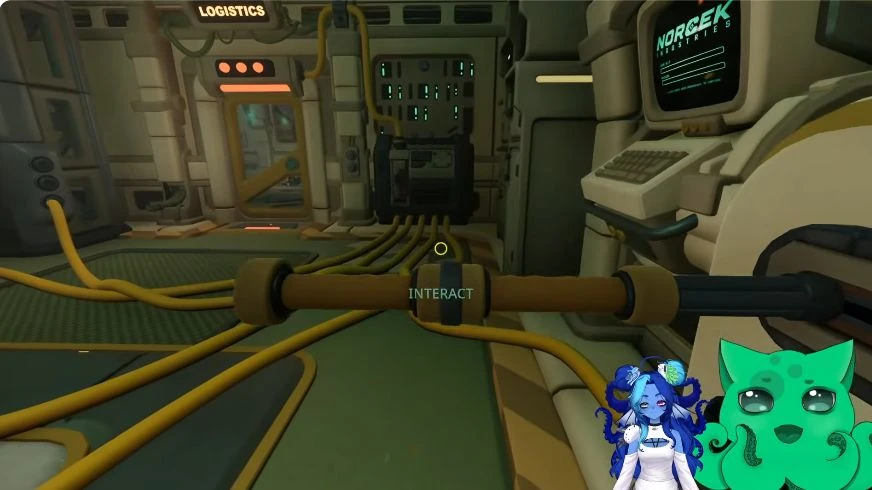
When the console rejects an attempt, stop operating the room. The documented reset takes about four seconds, after which the next attempt can have a different order. Let the error state finish, read the new instructions and replace the old numbered list. Starting halfway through the previous callout is an easy way to submit another wrong sequence immediately.
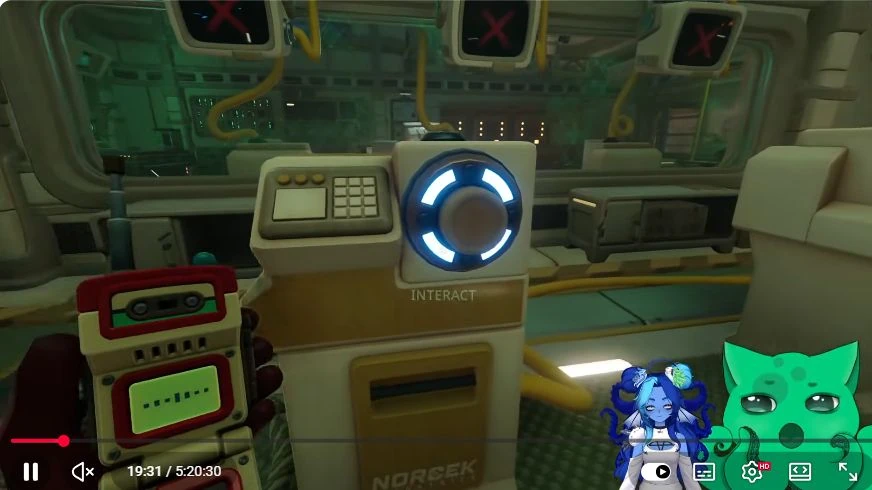
If you disagree about which action failed, compare the list you read with the actions the operator performed. Check the first position before debating the third: one misidentified device changes the whole attempt. Once the mapping is clear, use the next displayed order and try the complete sequence again.
Use a full three-entry read-back when the screen cycles faster than your conversation. The reader watches one complete loop, lists the three entries, and lets the operator repeat the entire list before touching a device. If the operator heard “plate, slider, lever” while the reader meant “plate, lever, slider,” correct the list at that point. This catches a swapped position before an input causes another reset.
When two mechanisms share a similar outline, stand beside one and describe the part your character interacts with. Ask the reader whether that feature appears in the picture. Once agreed, keep that name for the next attempt. You can reuse an accurate object description even when the requested order changes.
Confirm the exit and recognise the next room
After acceptance, inspect the successful console state and the newly opened route. In the recorded playthrough, the desk display shows a check mark with its blue buttons lit. Move onward together rather than continuing to activate the completed test.
The rooms ahead introduce transporting a canister between the players. If you have reached a container socket and linked door controls, you have moved beyond the symbol-and-device test. Continue following the receiving equipment there. For the next substantial R&D puzzle, use the six-component circuit board guide, which explains the shrinking setup and colour-pair matching.
Sources and gameplay reference
Step images: Darlom, We Were Here Tomorrow Can A Couple Solve All The Puzzles? | Live Gameplay, Creative Commons Attribution. Frames exported as WebP with the original creator overlays retained. Game © Total Mayhem Games.