PUBG: BATTLEGROUNDS · PC Update 43.2
PUBG Playgrounds Team Selection Disabled? Check Individual Minimums and Overrides
On this page
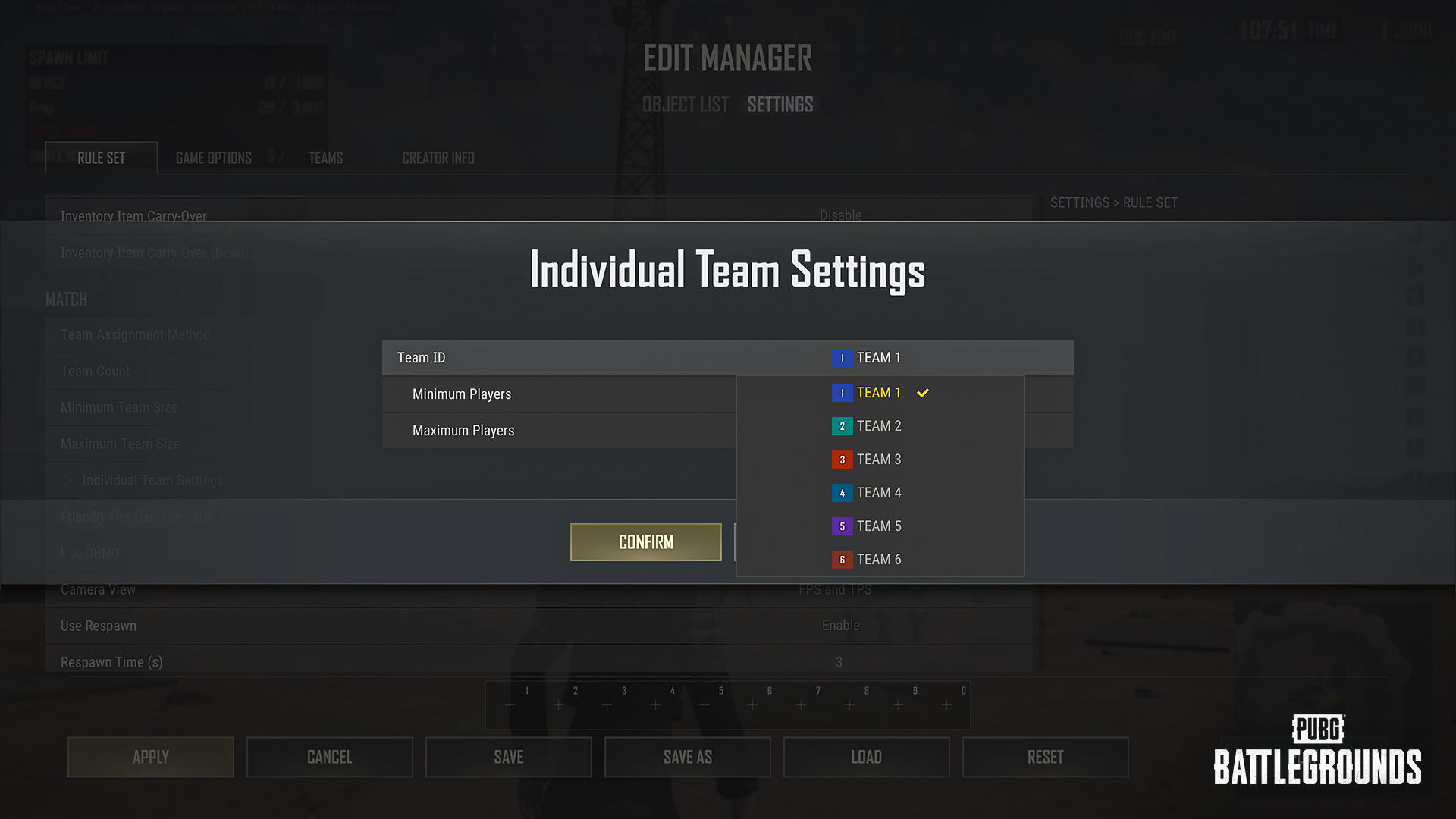
Individual Team Settings override the default shared team settings. Minimum and maximum sizes can each be 0–10, with minimum never above maximum. A team below its minimum can make some other teams unselectable. Check the complete allocation rather than assuming the disabled team itself is full.
Published October 18, 2026 · PC changes live October 14; Console update scheduled October 22 · Playgrounds editing scope
Check in this order
- In Editor Manager, inspect each configured team’s individual entry rather than only the shared default.
- Check minimum ≤ maximum and both values within 0–10. Look for an override left behind from an earlier design.
- Compare actual player allocation with each required minimum. A team with minimum zero can start empty; a positive minimum expresses a different requirement.
- Retest selection after adjusting the intended allocation or limits. Change one relevant setting at a time so the cause stays visible.
A capacity problem and a minimum problem differ
Maximum controls how many players a team can hold. Minimum controls the population required by the configuration. A team may be below capacity while the overall allocation still conflicts with another team’s minimum. The official note specifically warns that this can disable otherwise populated teams.
Read the effective setting
If an individual override says something different from the default, repeatedly changing only the default can leave the behavior unchanged. Write down the effective minimum and maximum for every team before assuming the UI ignored your change.
Use numbers that express your design
For an illustrative asymmetric design, a small team might have a lower maximum than its opponent. Each team still needs a valid minimum/maximum pair. Do not set a minimum above the number of participants you actually intend to assign. Choosing zero permits an empty start and should be a deliberate design choice.
Keep editor rules separate from lobby randomization
This guide concerns Playgrounds’ individual team configuration. Other Custom Match allocation features have their own mode restrictions. Do not use a random-assignment button as proof that the underlying per-team requirements were corrected. Retain a screenshot of the effective entries if the result remains inconsistent.
Related answers
- PUBG Playgrounds Grouping and Undo: Why G or Ctrl+Z Does Not Do What You Expect
- PUBG Lobby Starts Before Everyone Is Ready? Host Transfer and Player Numbers in 43.2
Sources and scope
The checking order and examples are independently written. Publisher images illustrate the named interface or object; they are not our gameplay tests. Images are credited under the Content Creation Guideline. All PUBG guides →