Satisfactory · Storage and remote building
Satisfactory Dimensional Depot: Upload Speed, Research and Storage
On this page
Research the Dimensional Depot in the MAM, build an Uploader and feed it with a conveyor. The starting upload rate is 15 items/minute; four separate speed upgrades raise it to 30, 60, 120 and 240. Capacity research increases the shared allowance from one to five stacks per item type.
Unlock the Depot, then connect the first Uploader
Open the MAM's Alien Technology branch. The Dimensional Depot research costs one Mercer Sphere and 11 SAM Fluctuators. Research unlocks the building; it does not place an Uploader or fill the shared inventory. Keep the building materials separate from the research payment when you prepare a first installation.
One Uploader requires one Mercer Sphere, 10 SAM Fluctuators, 10 Modular Frames and 100 Wire. Put the machine near the output you want to use for building supplies. Give the first Uploader a single material so that its input is easy to trace when testing the installation.
- Choose a finished construction material that your factory already produces.
- Place the Uploader where its conveyor input is accessible.
- Connect the production belt or a Storage Container's output to that input. Placing the machines beside or above one another does not replace the belt connection.
- Check that items reach the Uploader, then inspect the material's count in the Dimensional Depot inventory panel.
- Use some of that material for a build and check that replenishment continues while supply is available.
A physical container makes a useful buffer between production and remote consumption. The container can hold stock while you are building elsewhere, then feed the Uploader when space opens in the Depot. Follow the direction arrows on both ports: a belt entering a container cannot also serve as its output connection.

Keep the first test small. Feed an item that has available space in the shared allowance, then watch that item's count rather than a different row. If a friend is building with the same material, ask them to pause consumption during this check. A count that remains steady while someone spends the incoming stock can make a working supply look stalled.
Choose research for speed or capacity
Speed and capacity answer different questions. If you have enough stored material for a project but replenishment is slow, inspect the speed branch. If a fully replenished Depot still empties before a large remote build is complete, inspect capacity or carry additional supplies for that trip.
| Upgrade level | Speed after speed research | Capacity after capacity research | Cost of each individual upgrade |
|---|---|---|---|
| Default | 15/min | 1 stack per item | Initial unlock, above |
| First | 30/min | 2 stacks | 3 Mercer Spheres, 47 SAM Fluctuators |
| Second | 60/min | 3 stacks | 7 Mercer Spheres, 103 SAM Fluctuators |
| Third | 120/min | 4 stacks | 13 Mercer Spheres, 151 SAM Fluctuators |
| Fourth | 240/min | 5 stacks | 23 Mercer Spheres, 199 SAM Fluctuators |
The two middle columns describe separate research branches. Buying the first speed upgrade gives 30/min, not two stacks as well. Buying both first upgrades costs six Spheres and 94 Fluctuators. Read the node you are about to purchase before subtracting it from your expedition budget.
For a hypothetical material that stacks to 100, two-stack capacity holds 200 and five-stack capacity holds 500. A project requiring 350 units cannot be supplied all at once from the two-stack allowance, even with maximum upload speed. You can expand capacity, carry the extra stock, or split the project into smaller building sessions while the Depot refills. Pick the option that addresses the shortage you actually have instead of buying speed research for a capacity problem.
For example, completing the first two speed upgrades costs 3 + 7 = 10 Spheres and 47 + 103 = 150 Fluctuators, after the initial unlock. Adding the matching two capacity upgrades doubles that upgrade budget. These are shopping calculations from the table, not measurements of a gameplay session.
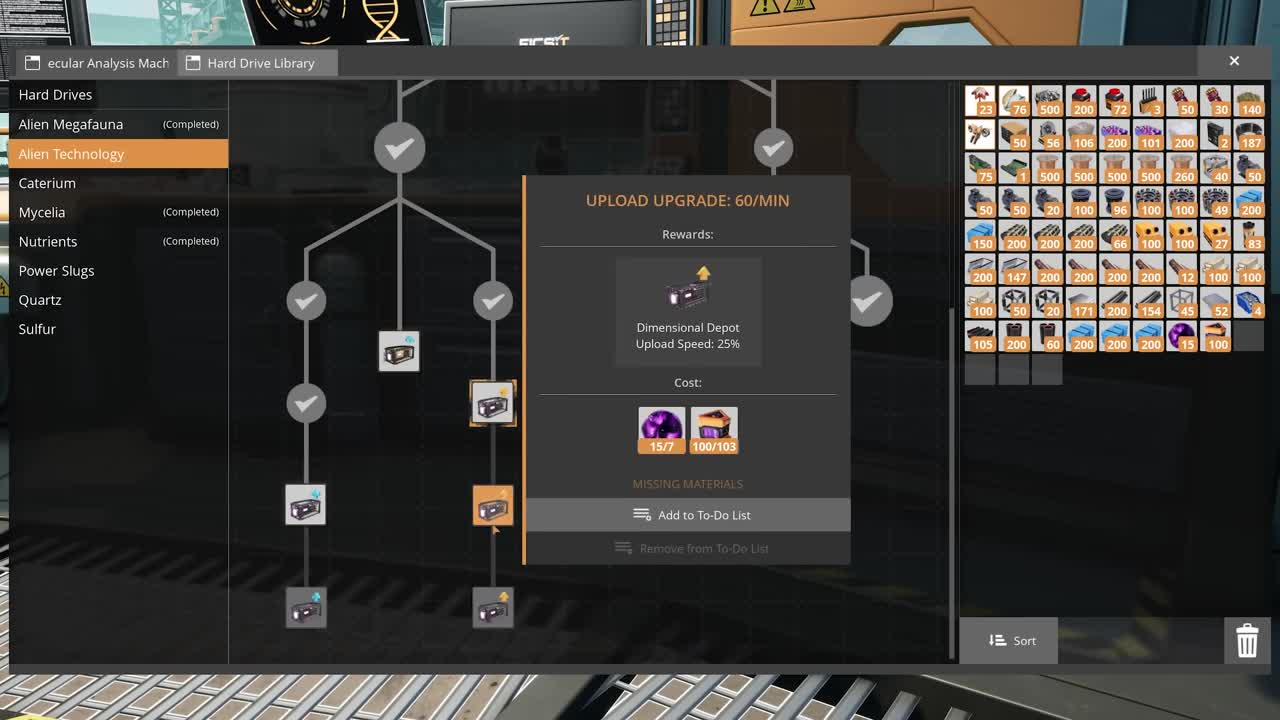
Budget the next node before planning a complete branch. Suppose you already bought the 30/min upgrade and now want 60/min. The next payment is seven Spheres and 103 Fluctuators; the three Spheres spent earlier are a sunk cost, not an additional seven-Sphere requirement. If you are starting from the first upgrade instead, include both payments. Record which nodes are already complete so that the same material list does not mix fresh and partially upgraded saves.
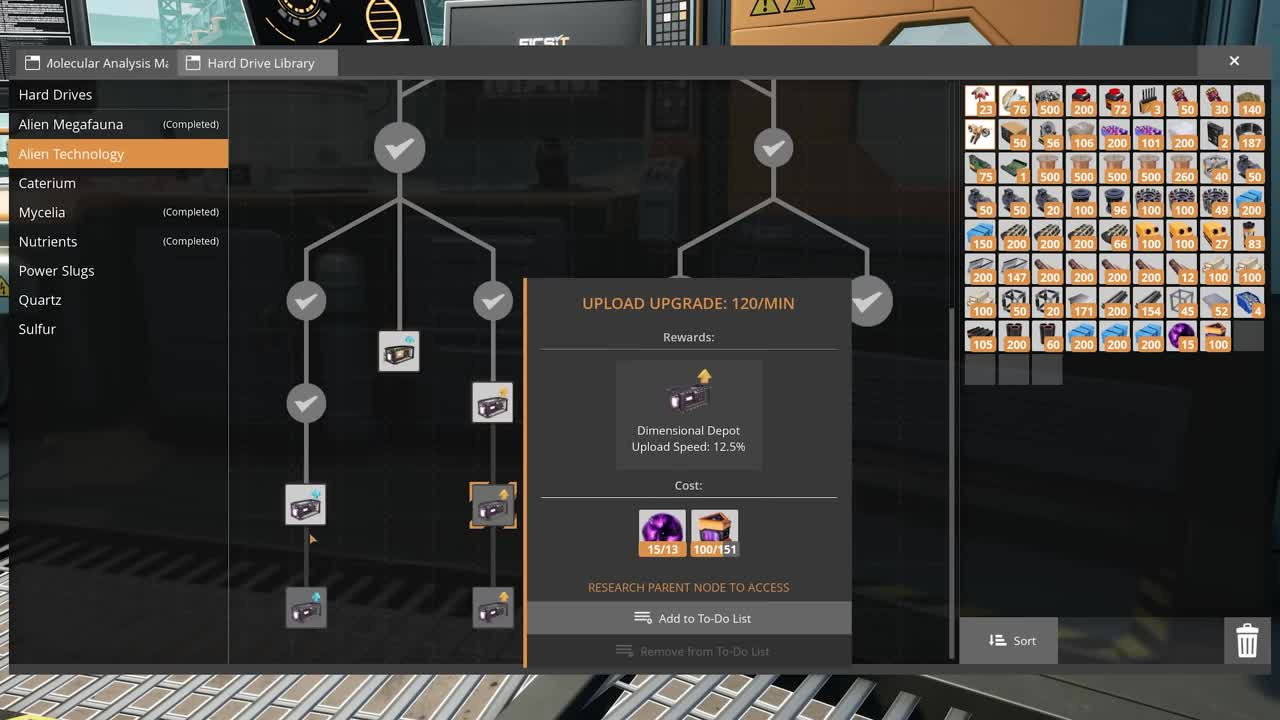
Check a locked node's parent as well as its ingredient icons. In the demonstration, the 120/min preview names its required parent even though the next node is selectable for inspection. Collecting the preview's materials alone does not complete that prerequisite. Work back up the same branch until you find the first unfinished node, then buy upgrades in order.
Work out refill time before upgrading the belt
Use the number of items missing from the Depot, rather than an assumed stack size, for a refill estimate. With a constant supply and no one consuming the item, the estimate in seconds is missing items ÷ upload rate × 60. A paused factory or an empty feeder makes the actual refill take longer.
For a 120-item shortage, the five speed levels give estimated waits of 480, 240, 120, 60 and 30 seconds respectively. The calculation uses the same shortage at each level; it does not claim every material has a 120-item stack. Capacity determines how much can be held, while speed determines how fast the missing stock can return.
Check the slowest conveyor or lift on the feeder route. Mk.1 belts carry 60/min, Mk.2 carry 120/min and Mk.3 carry 270/min. A continuous Mk.3 route can therefore supply one fully upgraded 240/min Uploader, provided the factory supplies enough of the correct item. A Mk.1 segment anywhere on that route limits its feeder to 60/min.
A faster belt cannot fix a slower source. If the production line supplies only 20/min, replacing every segment with Mk.3 will not make it produce 240/min. Compare the source output, conveyor limit and researched upload rate before spending resources. For factory calculations, use the supported recipes in our Production Line Planner.

For a second example, assume a source produces 90/min, the feeder carries 120/min and the Uploader is researched to 240/min. The sustainable supply is still 90/min, so a 180-item shortage takes about two minutes without further consumption. If a container already holds spare stock, it may temporarily feed faster than the factory's production rate; distinguish that short refill burst from the long-term rate the line can sustain.
Take one comparable observation before changing the layout: the selected item, current count, target count, research level and whether the physical buffer has stock. Change one limiting part, then repeat. Changing the recipe, belt and speed research together makes it difficult to tell which change repaired the shortage.
Keep materials separate and provide an overflow route
The shared capacity is an allowance for each item type, not one pool of inventory slots. Filling one material's allowance does not consume another material's allowance. Keep that distinction in mind when comparing a nearly full construction material with an empty advanced component.
A mixed conveyor can still block the physical feeder. If an item at the front cannot enter, other items behind it cannot pass through that same belt. Start with dedicated material feeds when diagnosing this problem; adding more research does not identify which object is blocking the input.
For a production line that should continue after storage fills, put a Smart Splitter before the storage branch. Send the chosen item into storage and configure a second output as Overflow toward an appropriate destination. Check the splitter's actual rule labels and trace both outgoing belts; left and right depend on how you placed the machine.
- Confirm the main branch feeds the container and Uploader.
- Confirm the overflow destination can accept the item and is operating.
- Observe what happens when the storage branch fills.
- Use a material from the Depot and check that the supply branch accepts replacement stock again.
Do not send scarce material to disposal while diagnosing an unfamiliar layout. Begin with a small quantity and follow it along the branches. Once the directions and settings are correct, connect the regular production flow and check that the upstream machine has somewhere to send its output.
Use manual uploads and check the building inventory
Manual Depot Uploader research costs three Mercer Spheres, 29 SAM Fluctuators and 17 Computers. It adds inventory upload buffers. After unlocking it, try one spare item before moving supplies reserved for another task. If that item already has a full shared allowance, check the Depot count before treating the waiting upload as a fault.
For a remote project, prepare a short shopping list from the buildings you intend to place. Check each item in the Depot before leaving the factory. A large amount of one common component does not cover a shortage of a different component, and a physical buffer at base is useful only while its feeder can move stock into the shared allowance.
Separate building from research and deliveries. Items in the Depot are available for building and crafting, but some actions require transferring them into your personal inventory first. When a terminal rejects materials, compare the count physically carried with the amount stored remotely before collecting another batch.
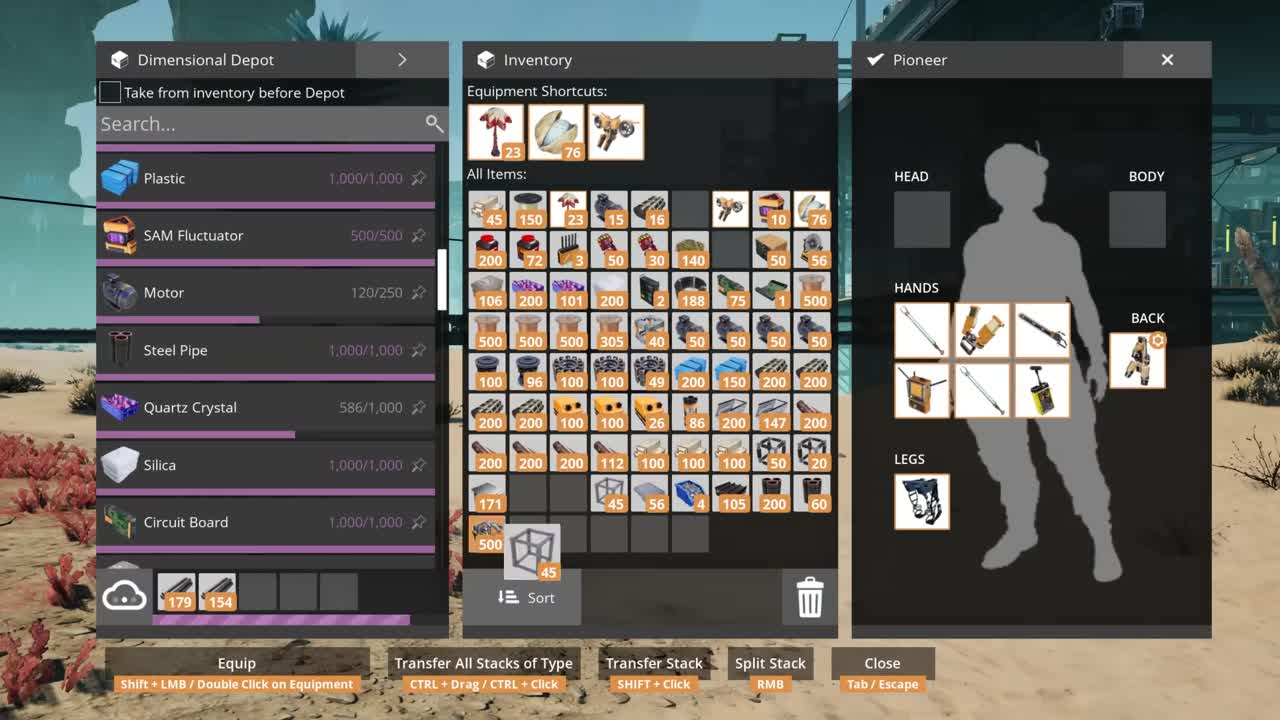
Read the inventory preference above the Depot list before assuming which stock construction will consume. The official demonstration labels its checkbox Take from inventory before Depot. Choose the behavior you want, then check both counts after a small build. A backpack stack remaining unchanged does not establish that construction was free; the corresponding shared count may have paid the requirement.
For a project that needs several components, write down the shortage for each one. For example, a requirement of 80 units with 50 available leaves 30 to supply; a second requirement of 20 with all 20 available needs no extra collection. Do not add those different materials into one interchangeable total. The useful checklist names the missing item and its quantity, so you can return to the correct production line.
Fix a Depot that will not refill
Why is the count still zero after I build an Uploader?
Inspect its input first. Follow the belt back to the source, check the port direction and confirm that the correct material actually arrives. Once stock enters, allow for the researched upload speed. At the base rate, one item takes four seconds; a freshly placed machine does not instantly fill the Depot.
Why is my fully upgraded Uploader slower than 240/min?
Check the source rate and every feeder segment. A 60/min belt limits that feeder even if the research permits 240/min. If the source itself produces less than the upload limit, let a physical buffer accumulate stock before comparing refill speed.
Why did the line stop after I uploaded one material?
Check whether that item's shared allowance is full. Then inspect the next item at the input and the splitter's overflow branch. A full item allowance and a disconnected conveyor need different repairs; read the stock count before rebuilding the route.
Why is there no automatic transfer from the container below?
Inspect the container's output and the Uploader's input. Build a conveyor or lift between the actual ports. Check the connection from both ends, especially if the storage and Uploader are at different heights.
Why can I see stock but cannot submit it to the MAM?
Move the required quantity into your personal inventory before submitting research. Compare the node's ingredient list with the carried stack, then submit the exact requirement. Avoid spending Spheres on another upgrade while trying to resolve a missing carried component.
Sources
Step images show the publisher’s September 2024 introduction of the 1.0 interface: Coffee Stain Studios’ official demonstration. Each image links to its exact source time. They illustrate the controls and are not screenshots of a personal test on the latest patch.
Rules and research costs checked November 19, 2026 against the Official Satisfactory Wiki: Dimensional Depot Uploader, MAM Alien Technology, Storage Container, Conveyor Belts and Smart Splitter.