Transport Fever 3 · Station and vehicle controls
Combined station: check the terminal, not just the station name
On this page
A combined station can contain passenger and cargo facilities, but its individual terminals can still have different roles. Inspect the terminal assigned to the affected line before changing stock, filters or vehicle capacity.
Published October 20, 2026 · Mouse and keyboard · Manual checked October 20
Identify the platform the line actually uses
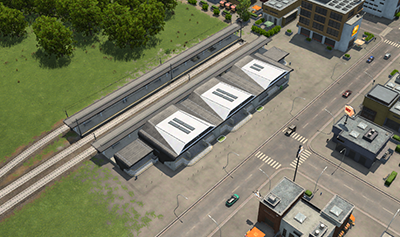
Write down the service you are testing: passengers to the town, or a named cargo to a receiving industry or transfer. Select that line and inspect its station visit. A station-wide name shared by several platforms does not tell you which one the vehicle will use.
Add the required facility through Configure
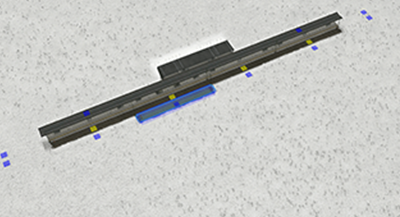
Use Configure to inspect the existing modules and choose a suitable addition. Preserve the working part of the station while adding the facility your new service needs. Read the module description and review conflicts before placement.
- Confirm the vehicle supports the intended passengers or cargo.
- Inspect the relevant station module and terminal role.
- Check that the line is assigned to a suitable terminal.
- Trace the arrival and departure path to that terminal.
- Watch one actual transfer before adding more vehicles.
Example: freight added to a working passenger station
Keep the passenger line unchanged while adding freight facilities. Create or inspect the freight service separately, assign it to the suitable cargo terminal and confirm it can reach the cargo source or destination.
If the freight train arrives but transfers nothing, inspect the carried item and receiver. A combined station does not create a warehouse, produce stock or make every nearby factory accept that item. Use the pickup checks or delivery checks only after the terminal assignment is established.
Recheck both services after changing the layout
Follow a passenger arrival as well as the freight test. An added platform that breaks the original route is not a finished upgrade. Check access, terminal selection and paths again if you removed or replaced any working module.
When using alternative terminals, include only suitable and reachable choices. An available parallel platform is not automatically interchangeable with the assigned one. See the last-signal approach rule if a rail line cannot reach its alternatives.
Source and screenshot scope
Urban Games’ official manual documents the controls and compatibility rules. The test sequence is independently organised. Images are unchanged publisher instructional excerpts used to explain their visible controls or layout; they are not our gameplay tests and no blanket open licence is claimed.