Dressmaker · Practical workshop guide
Dressmaker fabric direction: check motifs separately from panel identity
A panel can be the correct piece while its printed fabric faces an unintended direction. Check the component and the visual motif as separate decisions before cutting.
Follow the checks ↓Reviewed October 17, 2026 · Source-based guidance and editorial checks · Not gameplay-tested
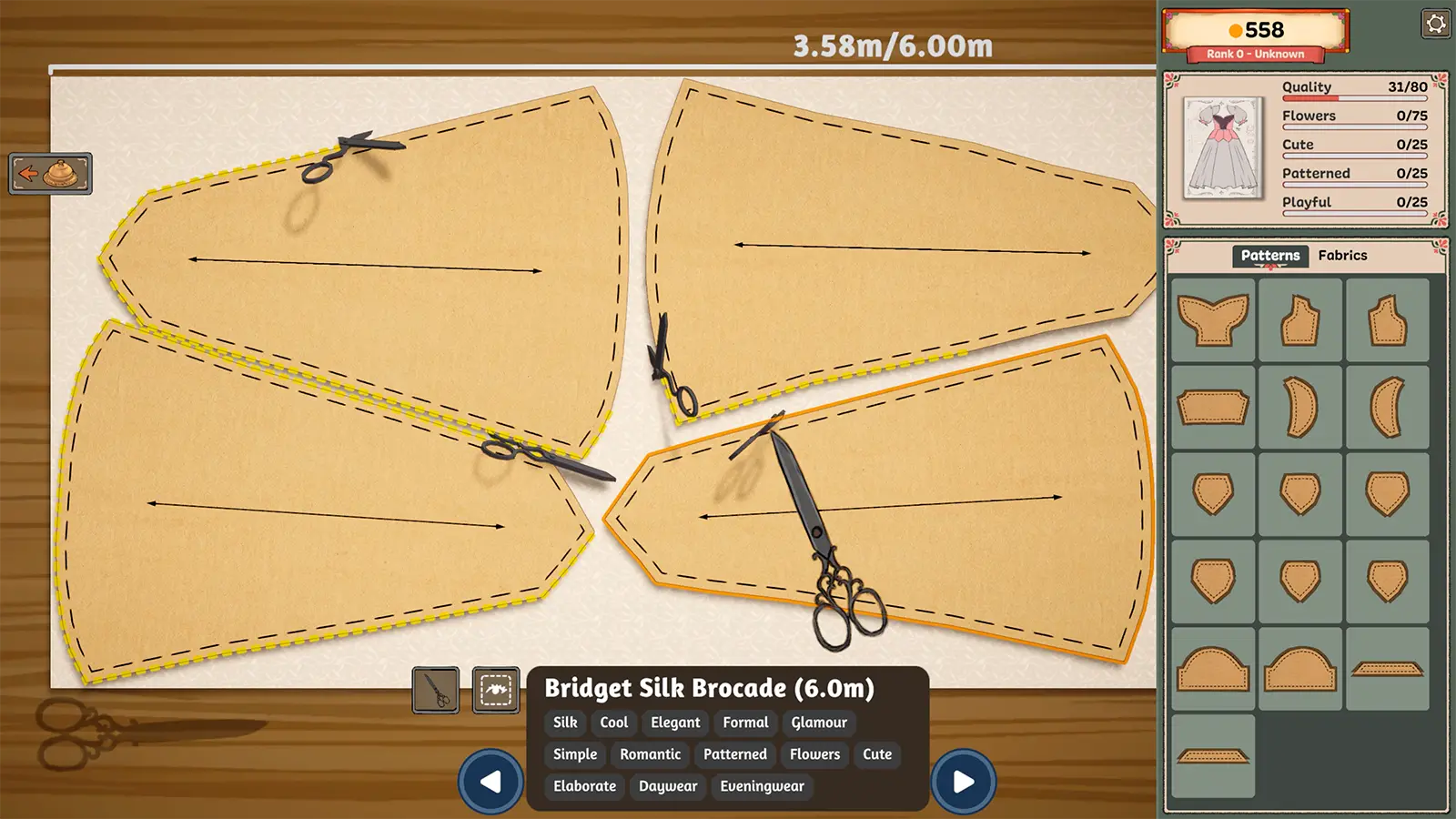
What to look at in the picture
The arrows in the cutting image provide orientation information on the displayed panels. This image does not establish a universal angle or prove a formula for grain quality.
Step-by-step check
- Identify the component using the inventory hint method rather than guessing where its outline belongs.
- Choose a visible landmark in the fabric design, such as the direction of a repeated motif, and describe how you intend it to appear on the garment.
- Compare neighbouring pieces with that landmark before cutting; record any deliberate contrast instead of mistaking it for an error later.
- Inspect the assembled appearance and the actual requirement separately. Visual alignment alone does not establish a score or a correct grain angle.
Avoid this wrong conclusion
Do not replace an in-game grain indicator with a real-world sewing rule you have not verified in this game. We have not measured a universal scoring effect for printed gradients.
Evidence and limits
The official description connects pattern arrangement and fabric direction with the finished appearance. The landmark comparison is our original visual planning method.
Reference: Official Steam game description. Check your installed build and current interface when following an older source. Our inspection sequence is intended to narrow the problem; it is not a guarantee of a particular commission outcome.