Dressmaker · Practical workshop guide
Dressmaker sketchbook: plan fabric samples before cutting
Use the sketchbook preview to compare fabric choices with the request before committing the design to the cutting stage.
Follow the checks ↓Reviewed October 17, 2026 · Source-based guidance and editorial checks · Not gameplay-tested
What to look at in the picture
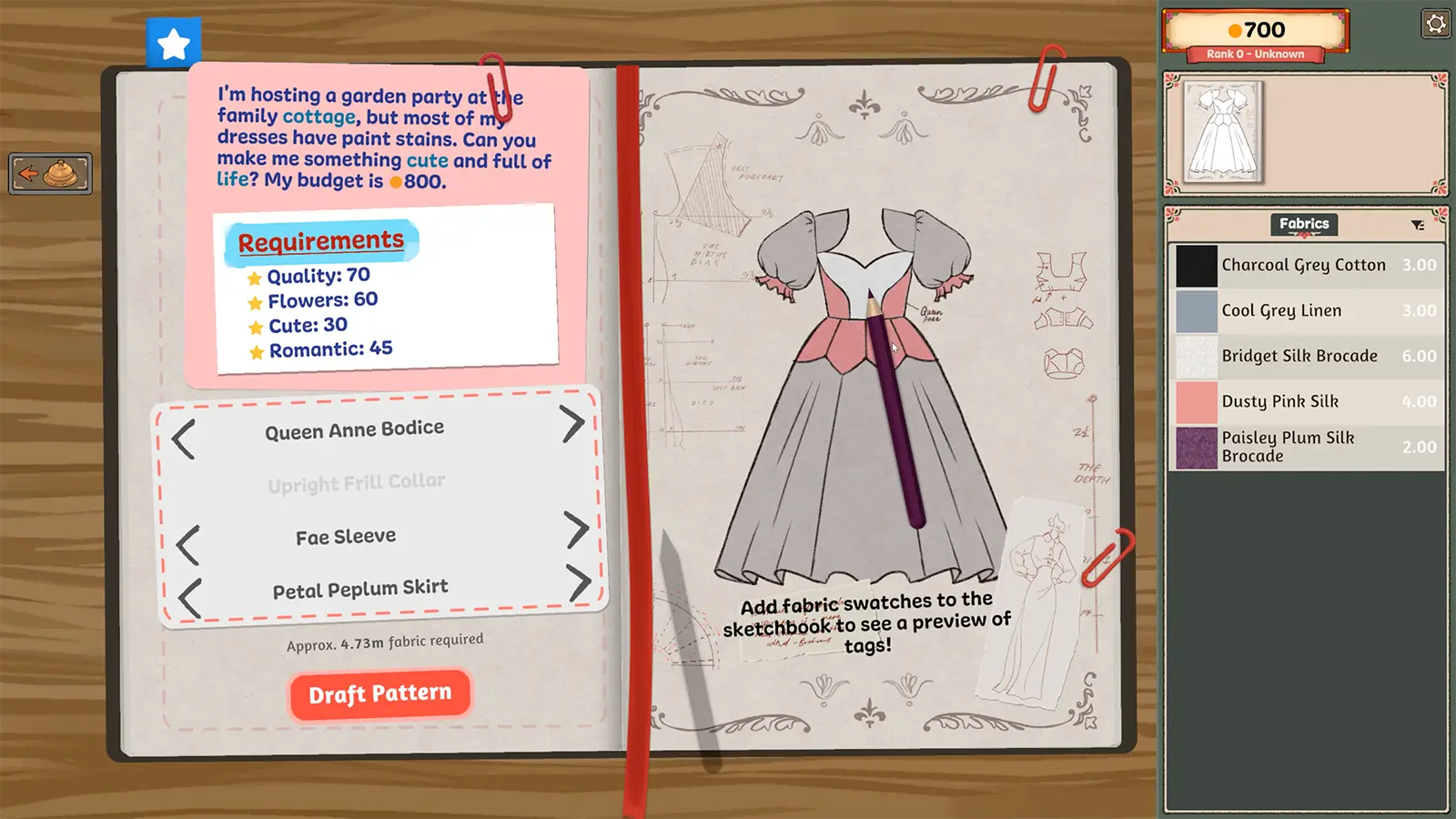
The publisher image places the request on the left, the dress preview on the right and owned fabrics in a separate list. These are three different sources of information; the preview alone does not prove all requirements are satisfied.
Step-by-step check
- Separate the customer’s request from your own preferred colour combination. Keep the original wording in view.
- Identify the component you intend to change, then inspect the available material rather than selecting a similar-looking inventory entry blindly.
- Review the dress preview after each change; check which part of the garment changed instead of assuming one sample applies everywhere.
- Before drafting the pattern, compare the planned design with the request again and note any remaining material question.
Avoid this wrong conclusion
Do not copy the sample commission’s numbers or component names into a different job. A favourable appearance is not evidence for a hidden scoring multiplier.
Evidence and limits
The official description permits fabric choices per panel. Exact placement interactions and score weighting may differ between builds; this is a planning workflow, not a solved customer recipe.
Reference: Official Steam game description. Check your installed build and current interface when following an older source. Our inspection sequence is intended to narrow the problem; it is not a guarantee of a particular commission outcome.