Dressmaker · Practical workshop guide
Dressmaker sewing quality: inspect the seam instead of rushing
Watch the fabric’s path at the needle and the displayed quality indicator while sewing; inspect the result before moving on to another piece.
Follow the checks ↓Reviewed October 17, 2026 · Source-based guidance and editorial checks · Not gameplay-tested
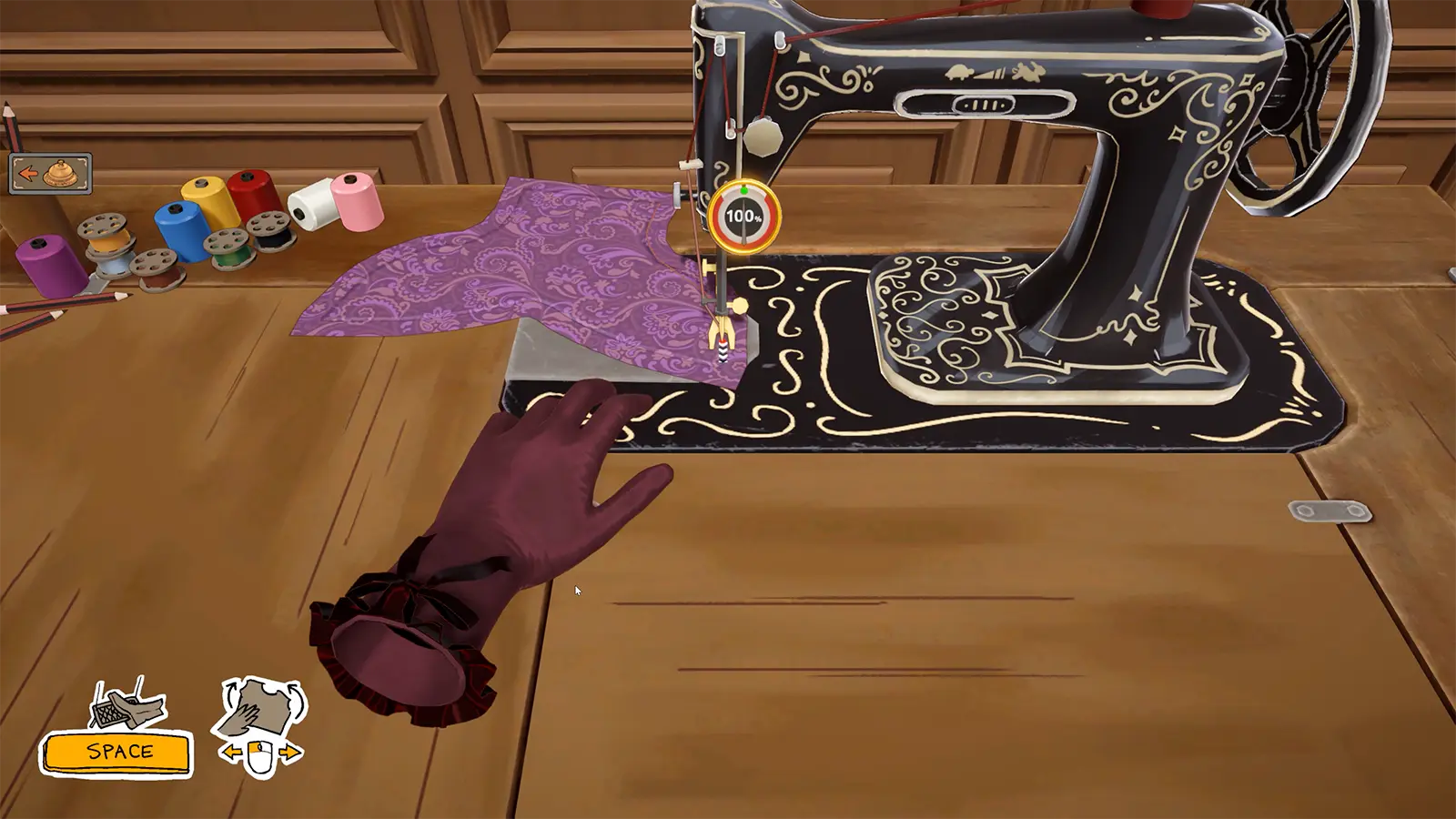
What to look at in the picture
The picture shows the needle working on a curved fabric edge, a quality indicator beside the needle and colour spools on the table. The displayed percentage belongs to the publisher’s example, not our measurement.
Step-by-step check
- Identify which piece you are sewing and where its seam is meant to run before starting the machine.
- Use the controls shown in your current client, watching the fabric at the needle rather than only the rest of the table.
- Compare the visible seam and quality feedback during a short section. If the result differs from your intention, stop and understand that local problem before repeating it.
- Inspect the completed piece before progressing, and record whether the issue concerns steering, an unfinished seam or a separate requirement.
Avoid this wrong conclusion
We do not guarantee perfect quality or prescribe an untested speed setting. Old promotional control icons are not a substitute for current in-game hints.
Evidence and limits
The developer describes feeding fabric through the sewing machine. The pause-and-inspect approach is our suggested practice routine; no numerical quality formula is supplied.
Reference: Official Steam game description. Check your installed build and current interface when following an older source. Our inspection sequence is intended to narrow the problem; it is not a guarantee of a particular commission outcome.