Dressmaker · Practical workshop guide
Dressmaker finished sewing: inspect the final action before clicking
A finished sewing stage and a completed customer commission are not the same decision. Read the available action and the current request before committing.
Follow the checks ↓Reviewed October 17, 2026 · Source-based guidance and editorial checks · Not gameplay-tested
What to look at in the picture
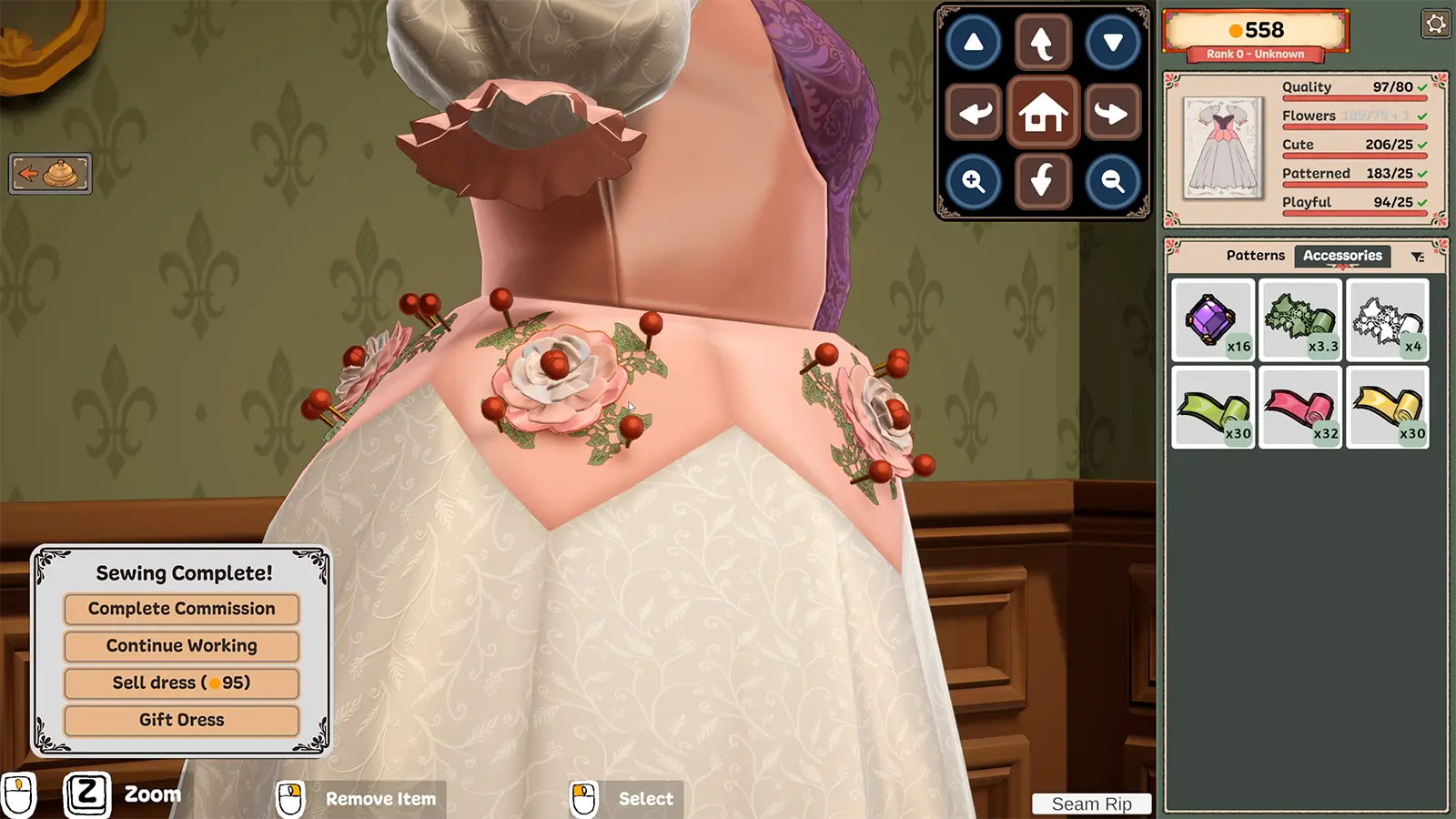
The promotional image shows a completion panel beside the dress and requirements at right. Build 443 changes the wording of an off-rack sale action, so old button text should not be treated as a current universal interface map.
Step-by-step check
- Inspect whether you are finishing work for a specific customer or working on your own off-rack design.
- Review the visible requirements and garment appearance before choosing a completion or sale action.
- If more adjustment is needed, distinguish continuing work from committing the final action shown by your build.
- After committing, observe the resulting dialogue or state. Do not infer that a different commission advanced merely because a dress left the mannequin.
Avoid this wrong conclusion
We do not claim a universal undo, payout, gift unlock or post-completion editing rule. Read the current action and any confirmation before using it.
Evidence and limits
The developer’s sale-label clarification supports distinguishing an off-rack sale from other finishing actions. The older publisher picture illustrates that distinction but is not a current-build test.
Reference: Developer Build 443 notes. Check your installed build and current interface when following an older source. Our inspection sequence is intended to narrow the problem; it is not a guarantee of a particular commission outcome.