Dressmaker workshop · Interactive geometry tool
Fabric layout simulator
On this page
Enter a fabric size and panel rectangles to generate a suggested cutting layout. Compare rotation on and off, inspect unplaced pieces, and download the result. This is a rectangle planning model, not Dressmaker’s exact cutting or scoring system.
Build your layout
What the simulation measures
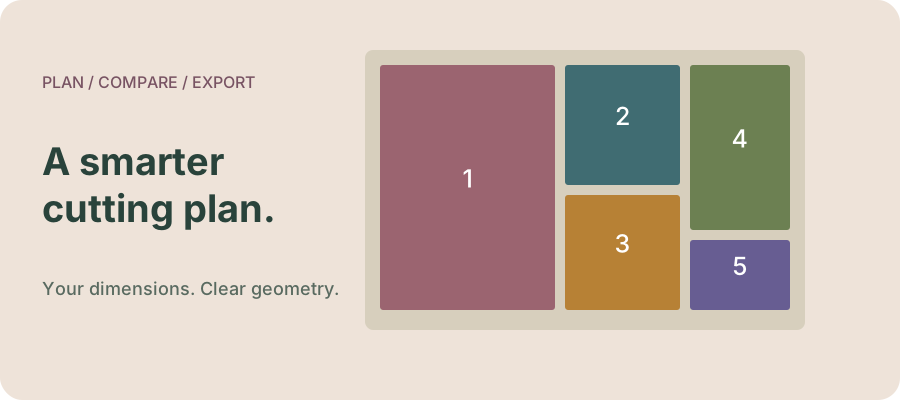
The result shows a single sheet containing non-overlapping rectangles. A numbered rectangle corresponds to the same ID in the coordinate table. Positions are measured from the sheet’s top-left corner. Unplaced panels remain listed rather than being silently discarded or squeezed to fit.
Area use = sum of placed rectangle areas ÷ sheet area × 100. Two invented 20 × 30 panels occupy 1,200 square units. On a 100 × 100 sheet, that is 12%. This is rectangle area utilisation, not a game score or a fabric-purchase recommendation.
Compare rotation deliberately
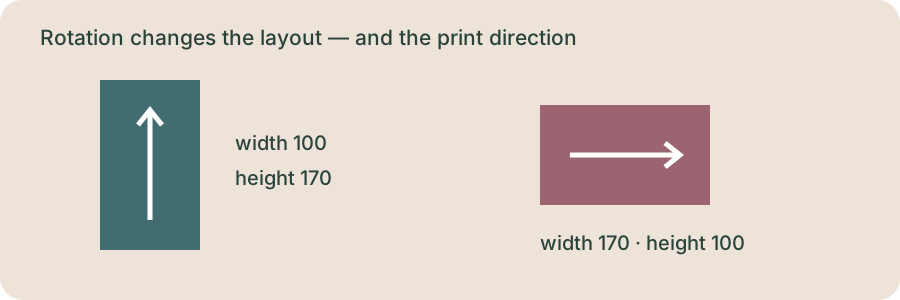
Run once with rotation disabled and record the unplaced pieces. Then allow rotation and compare the table. A rotated entry swaps its width and height. Keep rotation disabled when your own planning requires a consistent direction. The model has no grain, print matching, stretch or left/right panel constraints.
If every rectangle fits, you have a feasible layout for this simplified model. If one does not fit, this particular heuristic has not placed it; that does not prove no layout exists. Compare another sheet size while keeping your panel inputs unchanged.
Why real panels need more care
Bounding boxes include space outside irregular outlines. Conversely, this model adds no seam allowance, cutting gap, edge margin, defects or folding. Include any allowance you intend in your own measured rectangles before running it. The tool cannot tell you which allowance is appropriate in a game or for a real garment.
The routine sorts by rectangle area and uses a best-short-side free-space search. Our JavaScript implementation follows the general MaxRects approach described by Jukka Jylänki’s RectangleBinPack; that project declares its source public domain. Attribution is included with the deployed tool. No game art or third-party pattern files are bundled.
Use the output beside the game
Inspect the numbered diagram and coordinate list, then save the SVG before changing inputs. It is a vector image that stays sharp when enlarged, not a save file or a way to import a cutting plan into Dressmaker. For identifying panels, read our pattern placement guide. For decorations, try the trim simulator.
Independent planning tool for Dressmaker players. Geometry uses your inputs; no game data or save is read. Original diagrams are not game screenshots. Entries are not uploaded or stored by this tool. Reloading clears them; browser form restoration may vary.